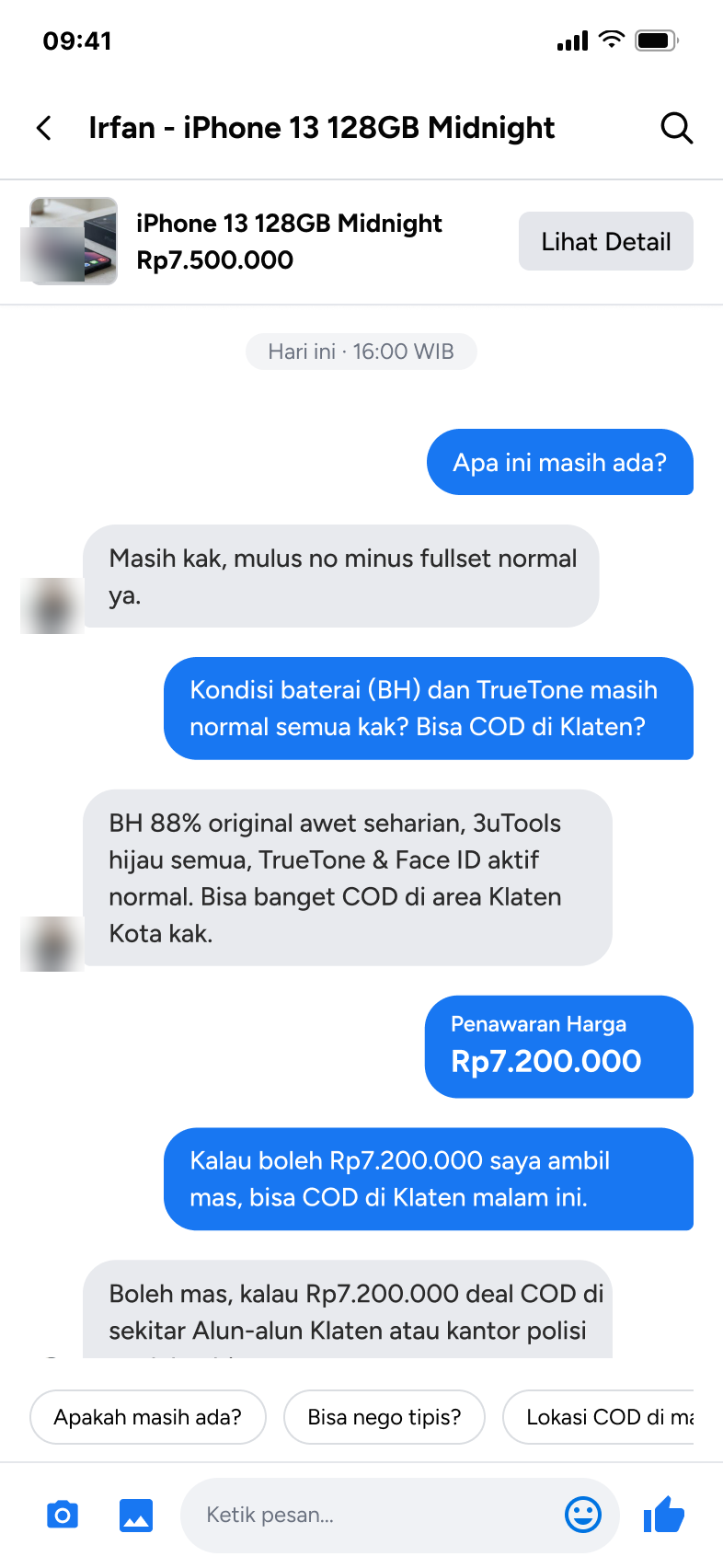
01The problem
On Facebook Marketplace, arranging a cash-on-delivery handoff still runs entirely through chat — there's no structured step for confirming where, when, or how safely two strangers will meet with cash and goods changing hands.
An illustration of a common exchange, not an actual quote
The location shown on a listing is often just a general area — buyers still need to request a more specific point before meeting, and that request happens nowhere structured.
02Development process
Six stages over six weeks, following the program roadmap. Each stage is broken down into the outputs it delivered, and each design stage closed with a mentor consultation scored on completion, quality, timeliness, rework, and collaboration.
Requirement Analysis & User Research
24–30 Aug- Research
- Marketplace audit
- Pain point identification
Persona & User Journey Mapping
31 Aug – 6 Sep- User persona
- User journey map
- Touchpoints
- Opportunity areas
Information Architecture & Wireframing
7–13 Sep- Sitemap
- User flow
- Low-fidelity wireframes
UI Design & Mockup
14–20 Sep- High-fidelity mockups
Final Case Study: E-Commerce & Design System
21–27 Sep- Final design
- Design system
- Interactive prototype
Finalization & Project Submission
28 Sep – 4 Oct- Final project
- Presentation rehearsal
03Research approach
Three methods, each answering a different question. The survey surfaced the pattern, interviews explained the reasoning, and usability testing showed the behavior in the current product — so no single method decided the design on its own. Scope was buyer-only.
| Method | Answers | Sample |
|---|---|---|
| Survey | What patterns show up | 33 respondents, 18–44 years old |
| Interview | Why buyers behave that way | 5 participants |
| Usability testing | How buyers act in today's Marketplace | Same 5 participants × 5 tasks: find a product, filter by location, evaluate a product, evaluate a seller, chat and decide |
04Competitor scan
Four platforms were compared against Facebook Marketplace on who they serve, how they build trust, and where they fall short. The pattern was consistent: trust rises when a seller's reputation is tied to real, completed transactions — and safety guidance works best at the moment of decision, not in a help page.
| Platform | Type | Trust & safety pattern | Weakness | Taken into COD Aman |
|---|---|---|---|---|
| Facebook Marketplace | Subject of the redesign | Location-based listings, Messenger chat | Placeholder Rp1 prices, inaccurate radius filter, no transaction protection | — |
| OLX | Direct | Location-based classifieds, in-app chat | Safety rests entirely on manual agreement; thin seller reputation | Keep the COD flow simple and local |
| Carousell | Regional | Verified badge, status labels in chat (“New User”, “Not Verified”, “Verified Business”), meet-in-public guidance, held payment for in-app purchases | Verification tied to a national ID system outside Indonesia | Seller status visible inside chat; meeting-point guidance |
| eBay | Indirect | Top Rated Seller, verified reviews, Money Back Guarantee, Resolution Center | Dense interface, high cognitive load | Reputation signals surfaced before contact |
| Vinted | Indirect | Buyer Protection, held payment, reviews only after a completed order | Fashion only; mandatory protection fee | Reviews tied to real transactions |
Carousell data: Singapore Ministry of Home Affairs, updated 30 Jan 2026. Other platforms: team competitor matrix.
05Who it's designed for
Two personas, composited from the five interview and usability participants, anchor the redesign. Both buy second-hand items locally and prefer COD so they can inspect before paying.
The careful gadget buyer
30 · private-sector employee
- Goal
- A used phone at a rational discount versus new — without falling for a scam or a stolen unit.
- Frustration
- Location filters that drift to another city; prices so low they signal risk.
The hands-on negotiator
18–24 · private-sector employee
- Goal
- Hobby gear and vehicles sold quickly, with room to negotiate.
- Frustration
- Sellers who hide defects, turn hostile when bargaining, or push a late-night COD at a deserted spot.
Their buyer journey runs in seven stages. Three of them carry the friction the research kept pointing to:
Stage where a priority pain point appears
06Three priority pain points
| Pain point | What the evidence showed | Design opportunity |
|---|---|---|
| Location & COD | 94% found a listing's location didn't match reality; 87% found results outside their set radius; 61% worried about an unsafe or far COD spot | How might we make setting up a COD meeting clearer and more practical? |
| Seller Trust | 48% rely on rating/reviews; 52% weigh seller responsiveness; buyers open a profile specifically to judge trustworthiness before messaging | How might we help buyers evaluate a seller faster? |
| Safety & Security | 55% worried about being scammed after paying; 32% worried about being pushed off-platform; a seller willing to share their location built trust | How might we surface safety awareness at the moment it matters, without breaking the flow? |
07Deciding what to build
The pain points were turned into problem statements, then into candidate features plotted on impact versus effort. The quadrant shaped the roadmap: high-impact, low-effort fixes first; heavier platform changes planned, not promised.
Do first
- Minimum price validation — block Rp1 and hidden-instalment listings
- Contextual safety banner when a chat looks suspicious
- Availability label: Ready · Under consideration · Sold
Plan for
- Verified seller badge (identity check)
- Held-payment protection for non-COD deals
- Recommended public meeting points
Fill-ins
- Remember last filter (location, budget)
- Price-drop alert on saved items
Avoid
Nothing landed here — no candidate was both costly and low-value.
08A targeted redesign, not a full rebuild
Most of Marketplace already works. Surfaces tied directly to the three pain points were redesigned, two pages got a single small cue, and everything else stayed exactly as is.
- Search
- Filter
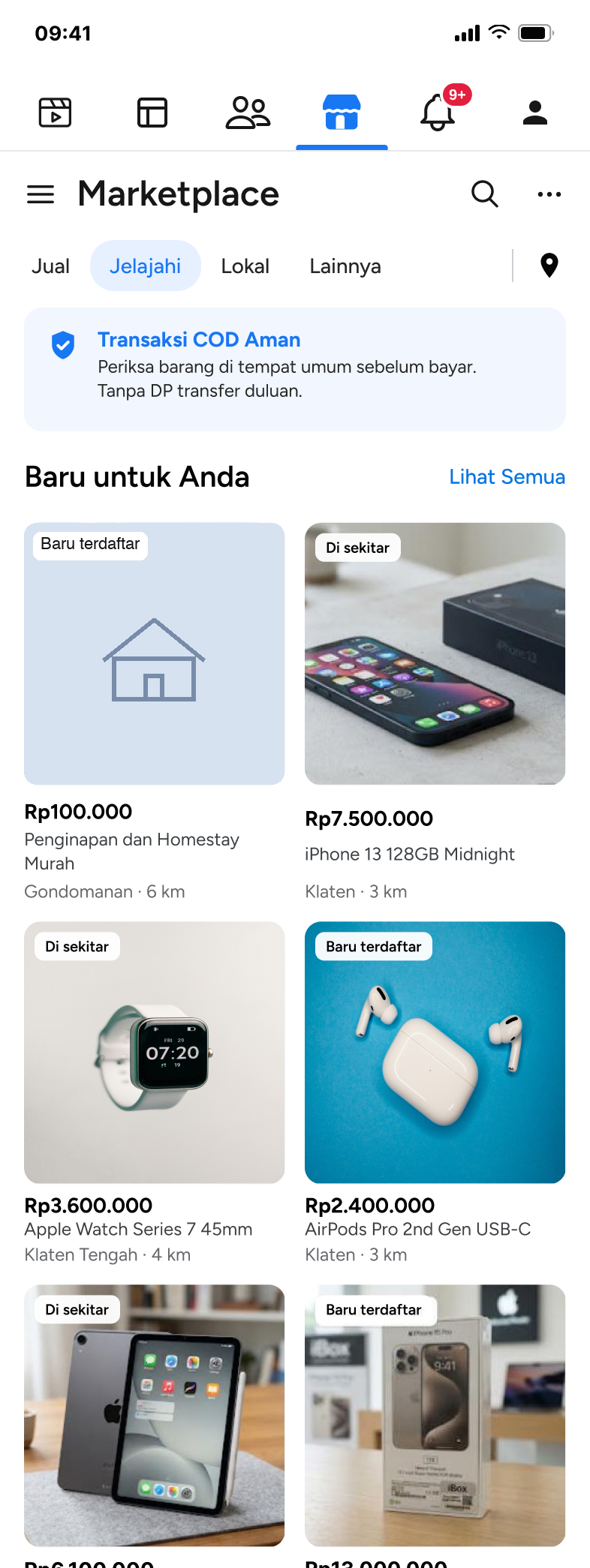
- Homepage Safety“Transaksi COD Aman” banner
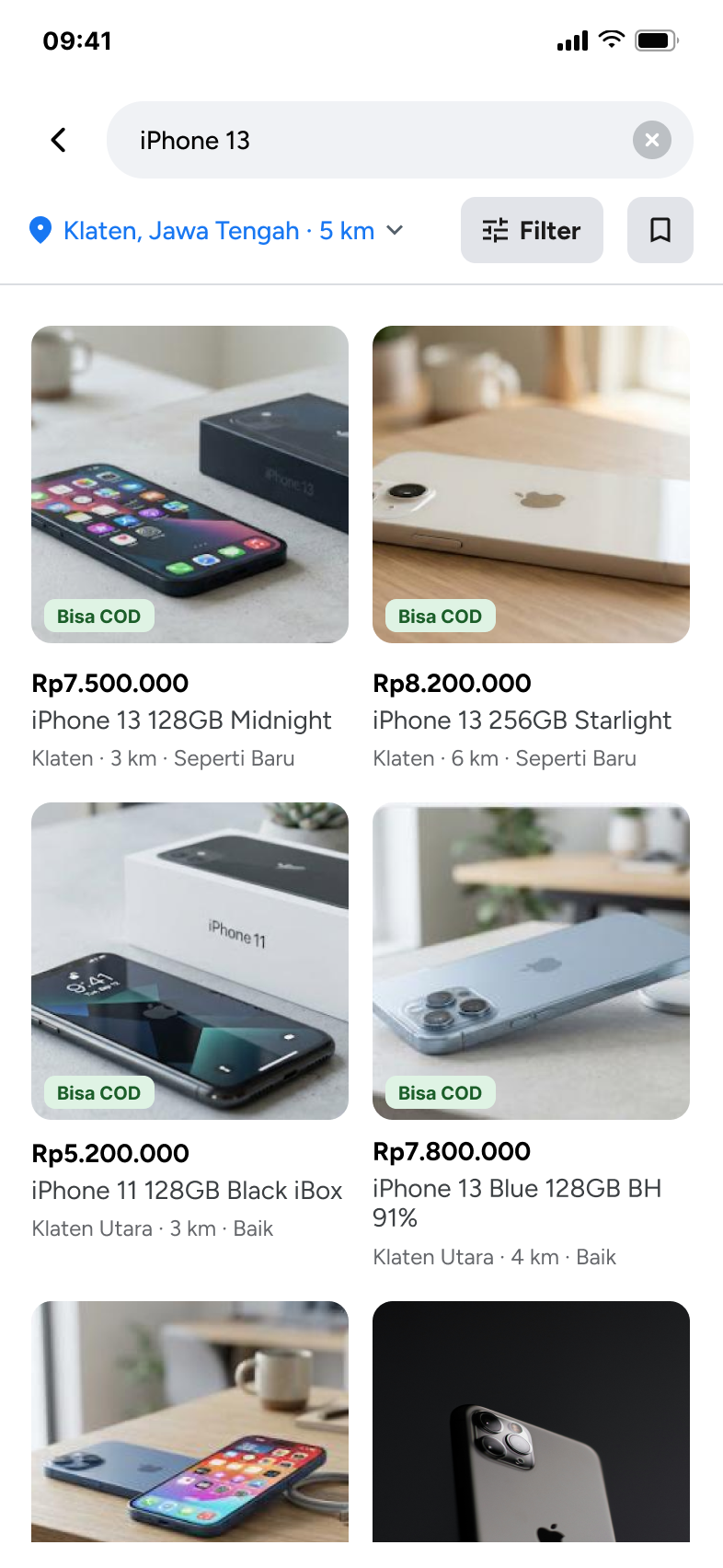
- Search results Location & COD“Bisa COD” tag on each card
Before the deal
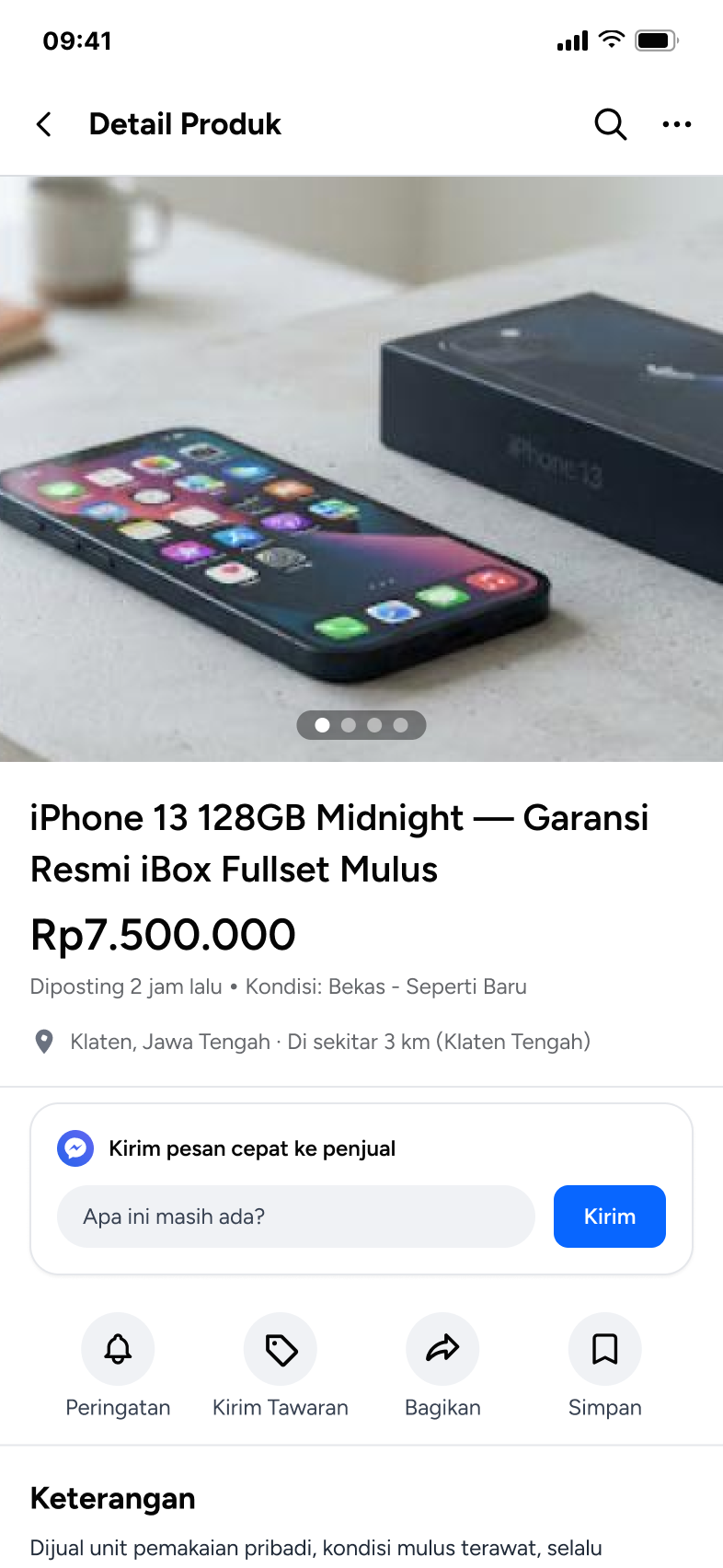
- Product detail Location & CODquick message instead of a COD box
- Seller profile Seller trustverified reviews, COD count, response rate
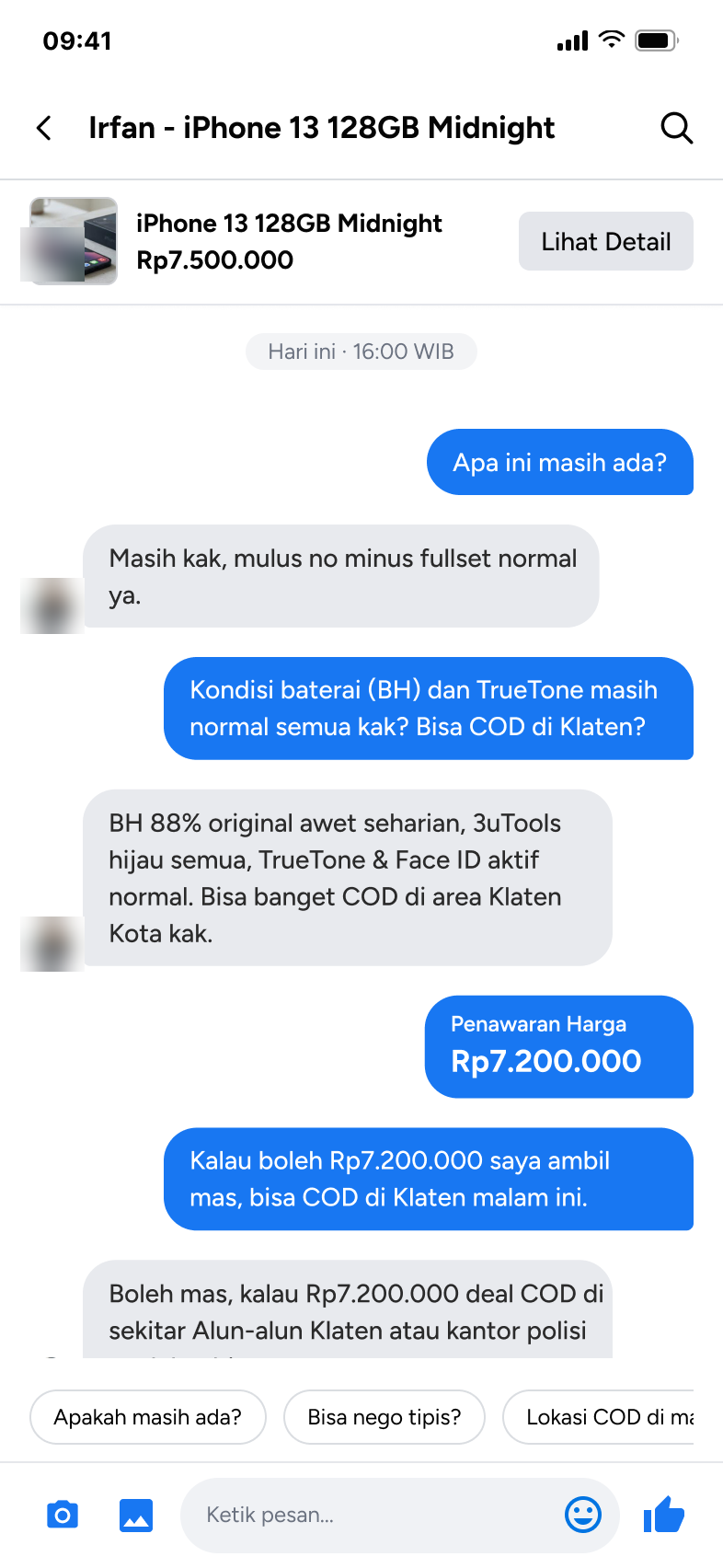
- Chat Location & CODprice offer card, decline and no-reply states
COD · before meeting new
- Safety tips Safety
- Meeting point & time Location & COD
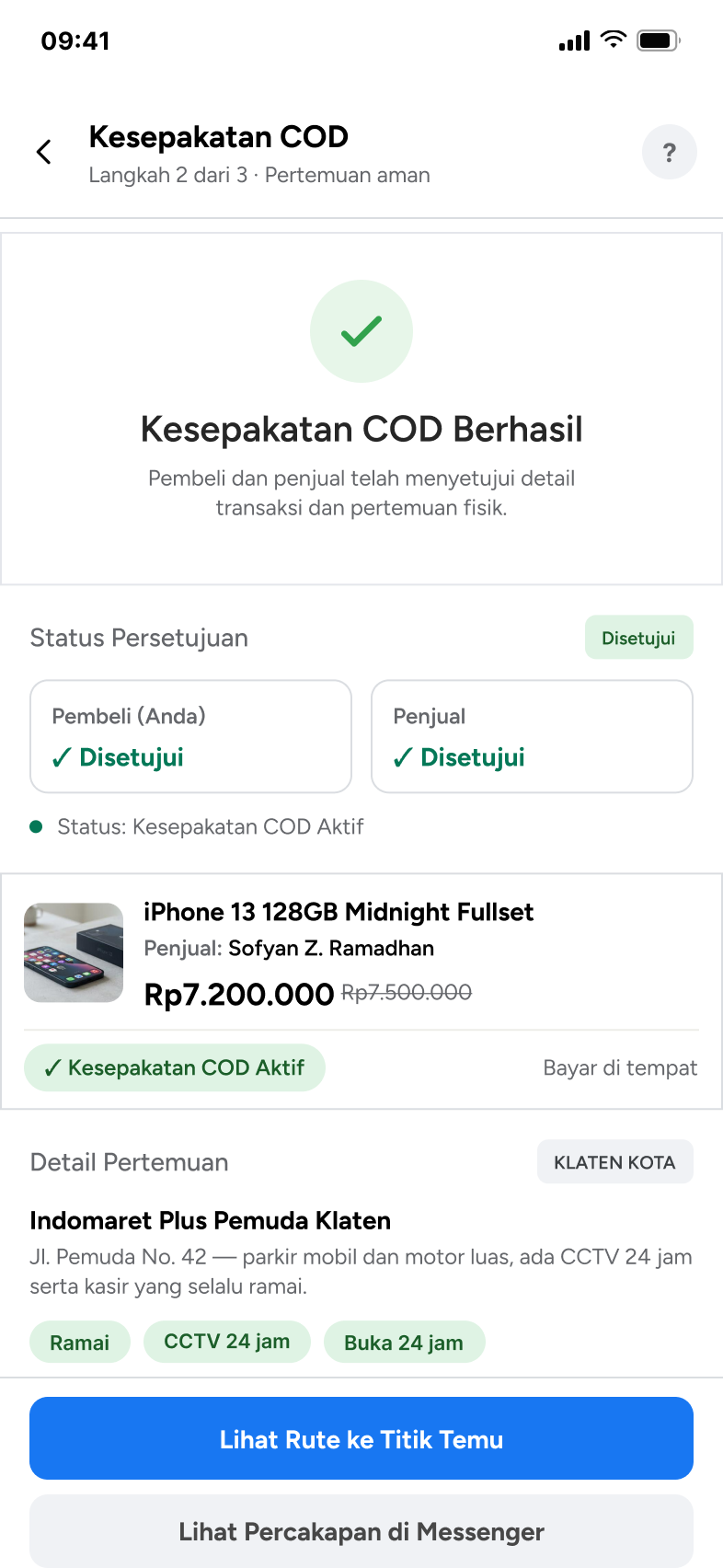
- Agreement, both sides approve Location & COD
COD · meeting & after new
- Route & item check Location & COD
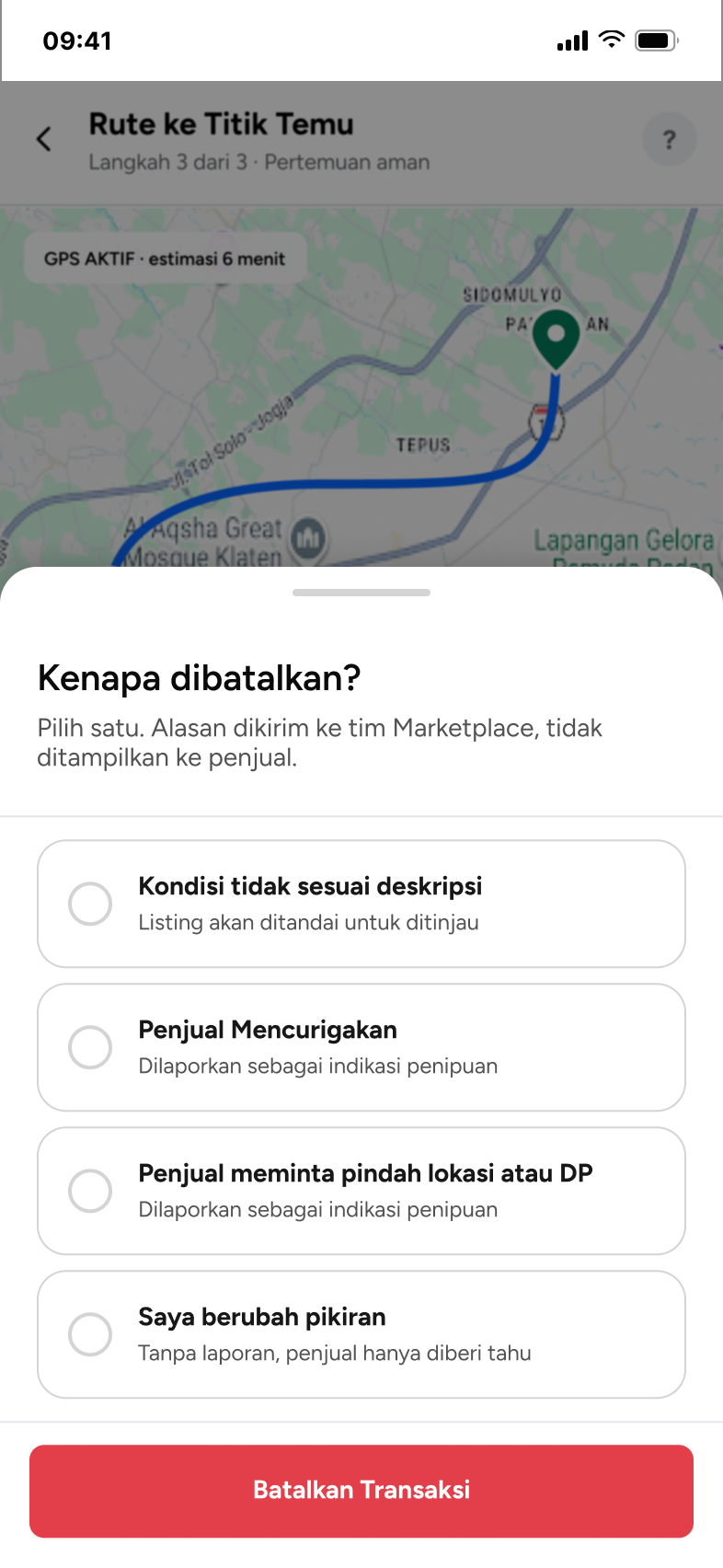
- Cancel with a reason & report Safety
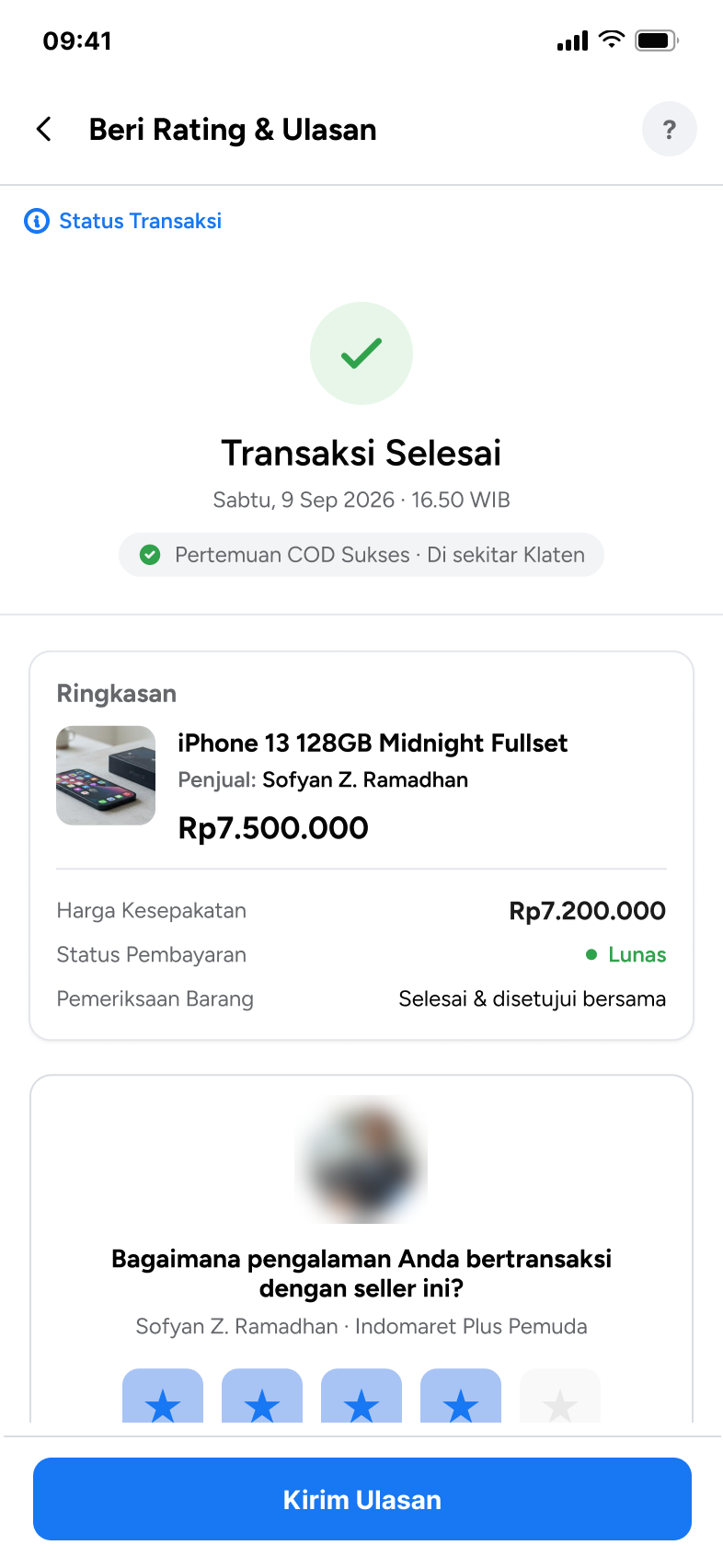
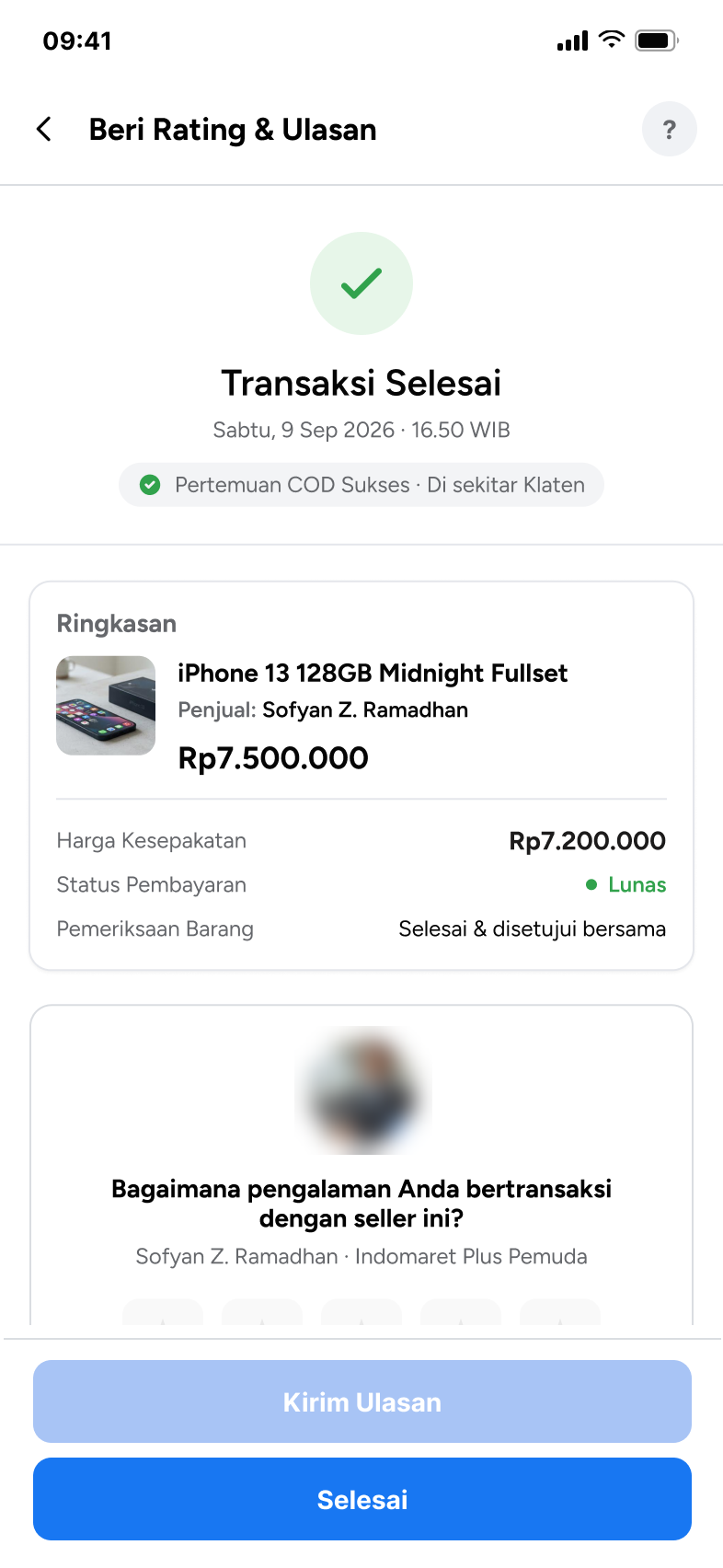
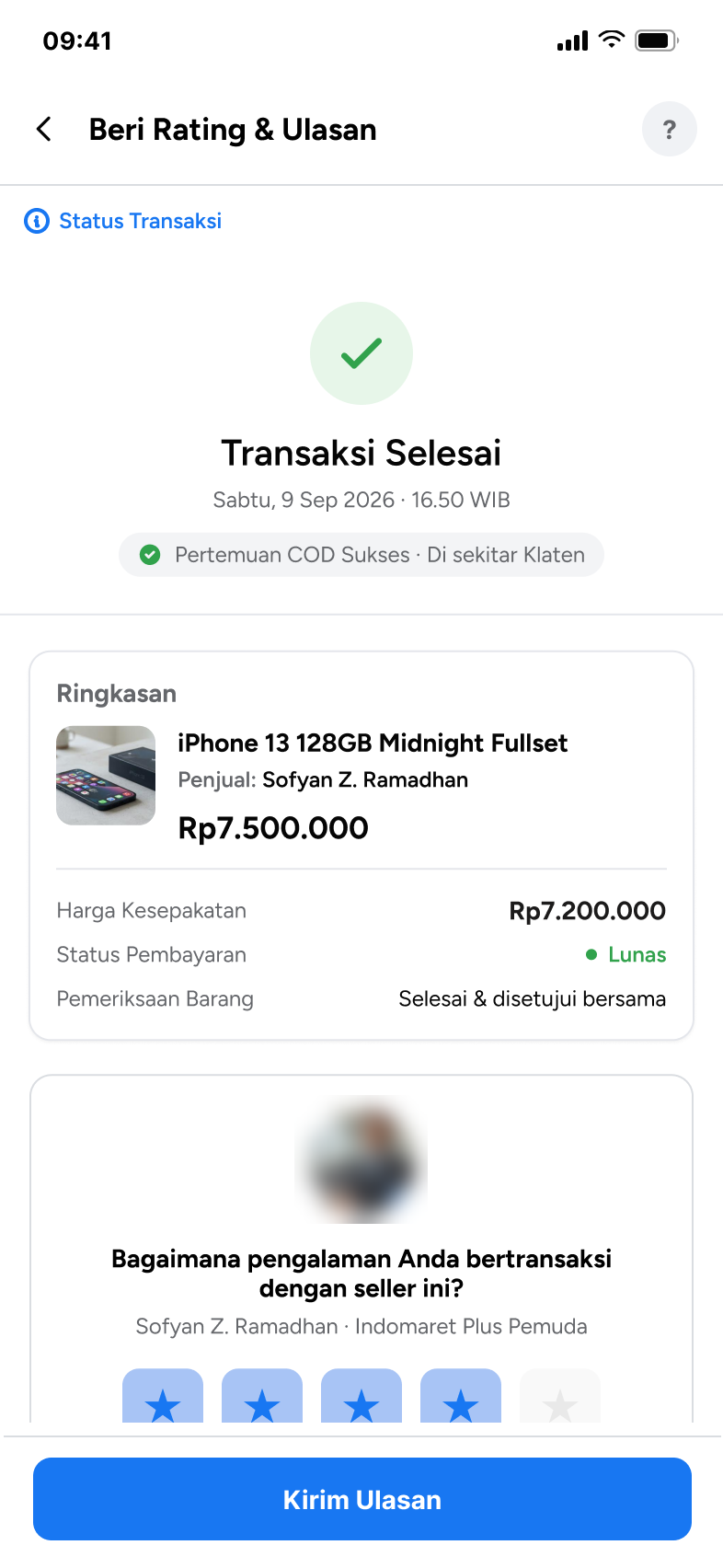
- Transaction complete Location & COD
- Rating & review Seller trustfeeds the seller profile for the next buyer
Design decision: scope stayed deliberately narrow. Search and Filter weren't broken, so they weren't touched. Homepage and results only got one cue each, so buyers meet the safety message early without a redesign of pages that already work.
09Structure & flow
The sitemap kept Marketplace's structure. Three branches were redesigned and two were added — COD before the meeting and COD during and after it — so the meetup gets its own place instead of living inside chat.
- Preserved
- Redesigned
- New branch
- State (empty, error, edge case)
- New item on a preserved page
- Category tabs
- Fresh listings
- COD Aman safety banner
- Search input
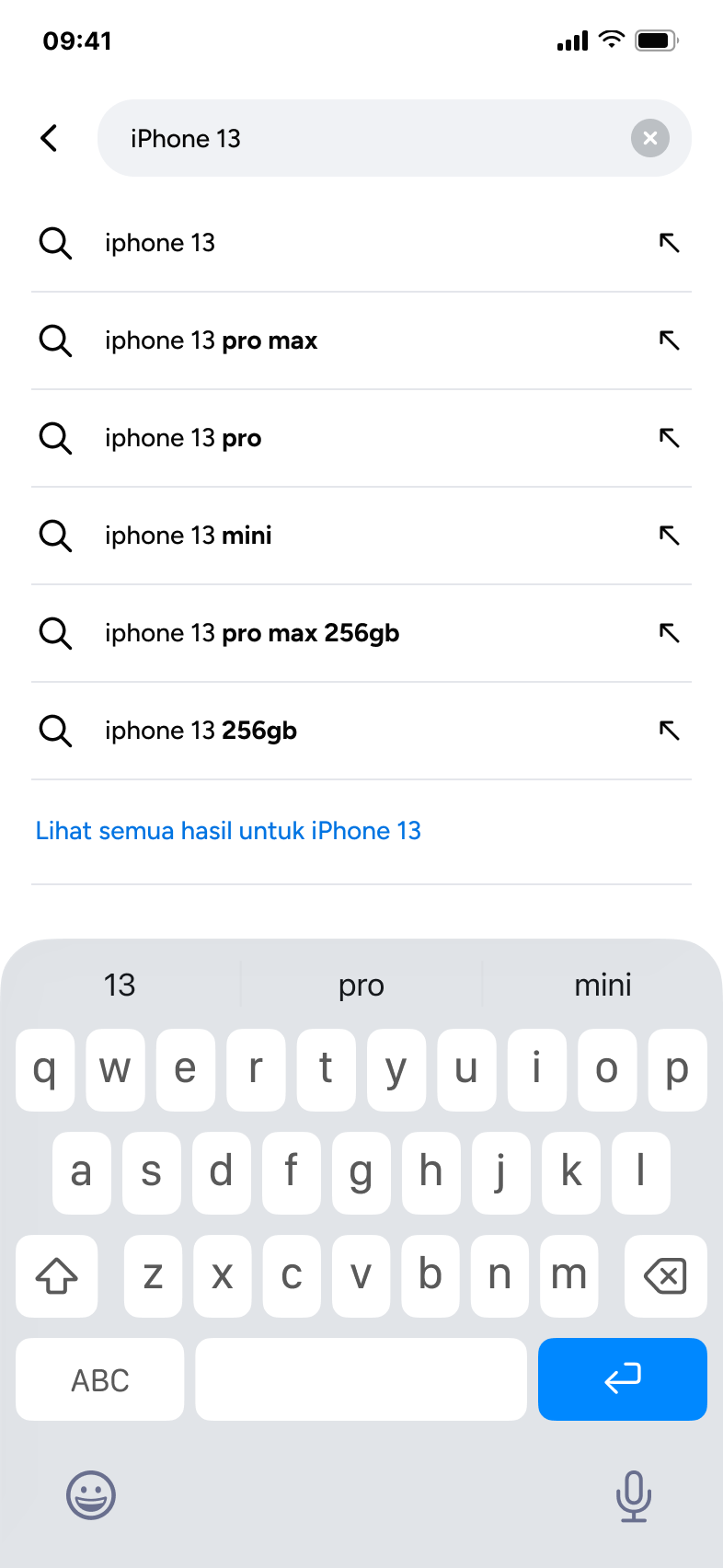
- Suggestions
- Loading
- Results grid
- Filter: sort · price · condition · listed date · category · availability
- Loading skeleton
- No results → reset filter
- Photos & product info
- Price & condition
- Seller area
- Quick message
- Sold · listing closed
- Rating
- Verified buyer reviews
- Successful COD count
- Response rate
- Identity verified
- Conversation thread
- Price offer card
- Quick replies
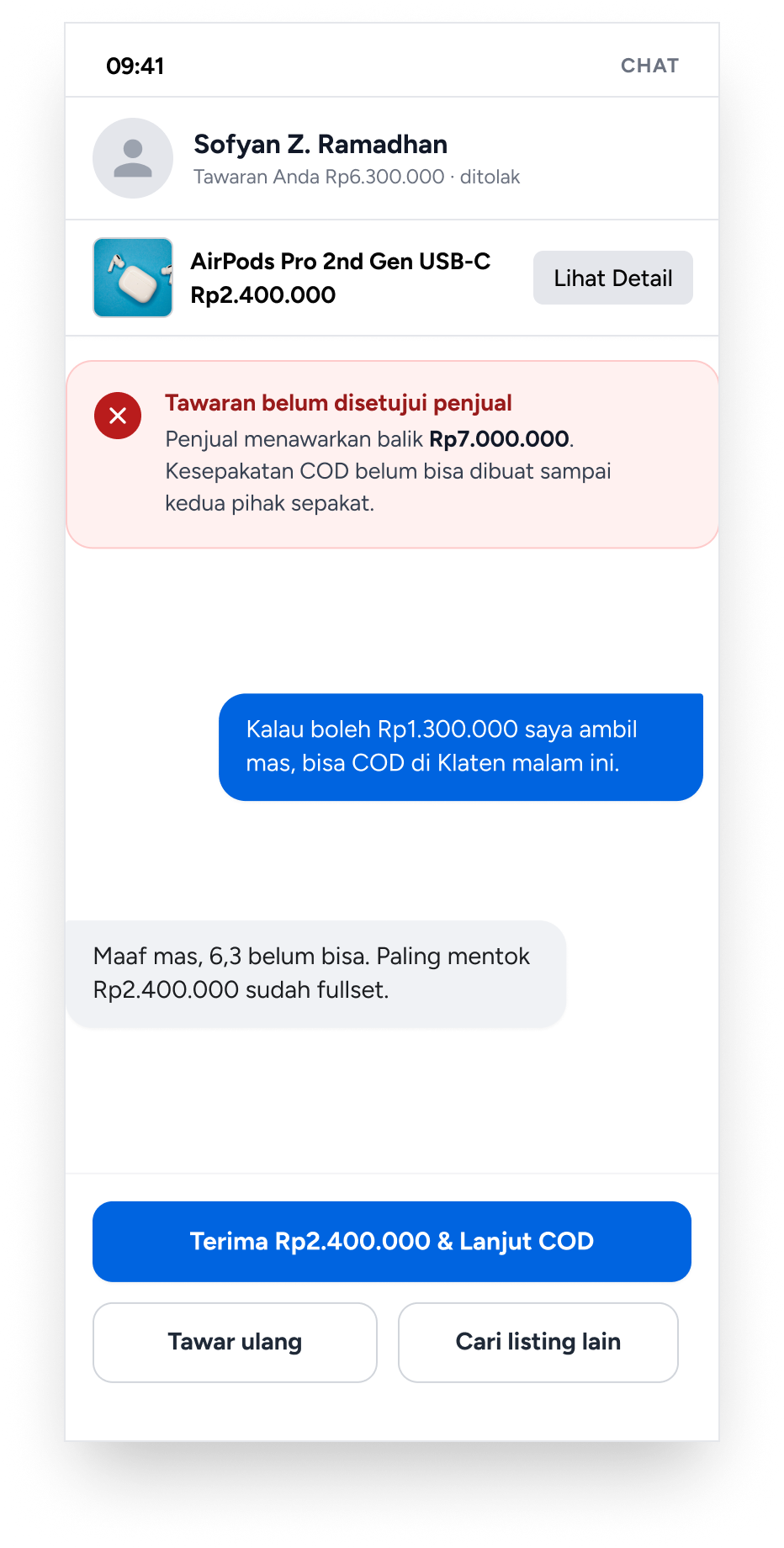
- Offer declined → accept counter · re-offer · other listing
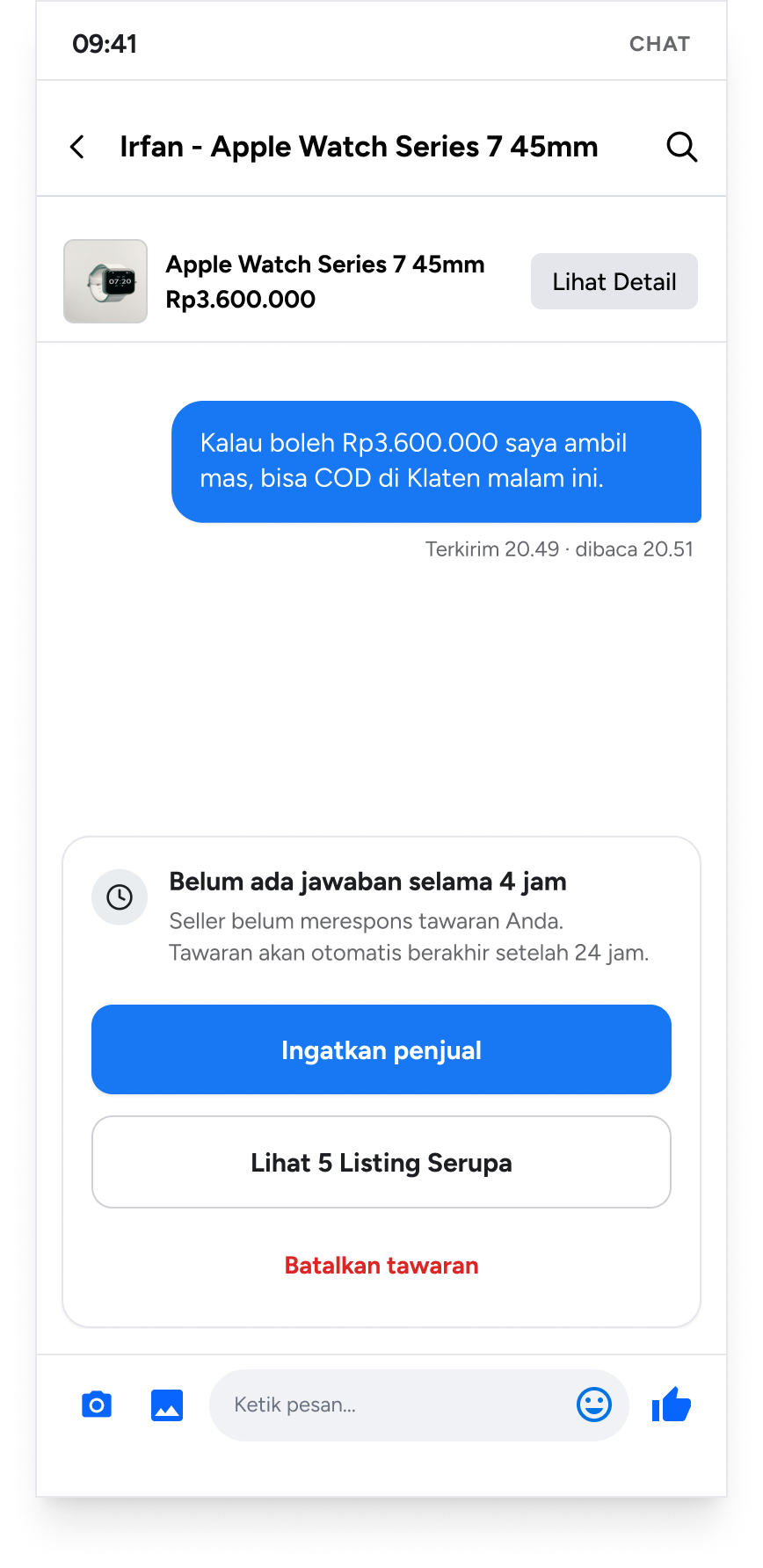
- No reply in 4 h → remind · similar listings · cancel offer
- ↳ opens from Chat after a deal
- Safety tips
- Pick COD point (GPS)
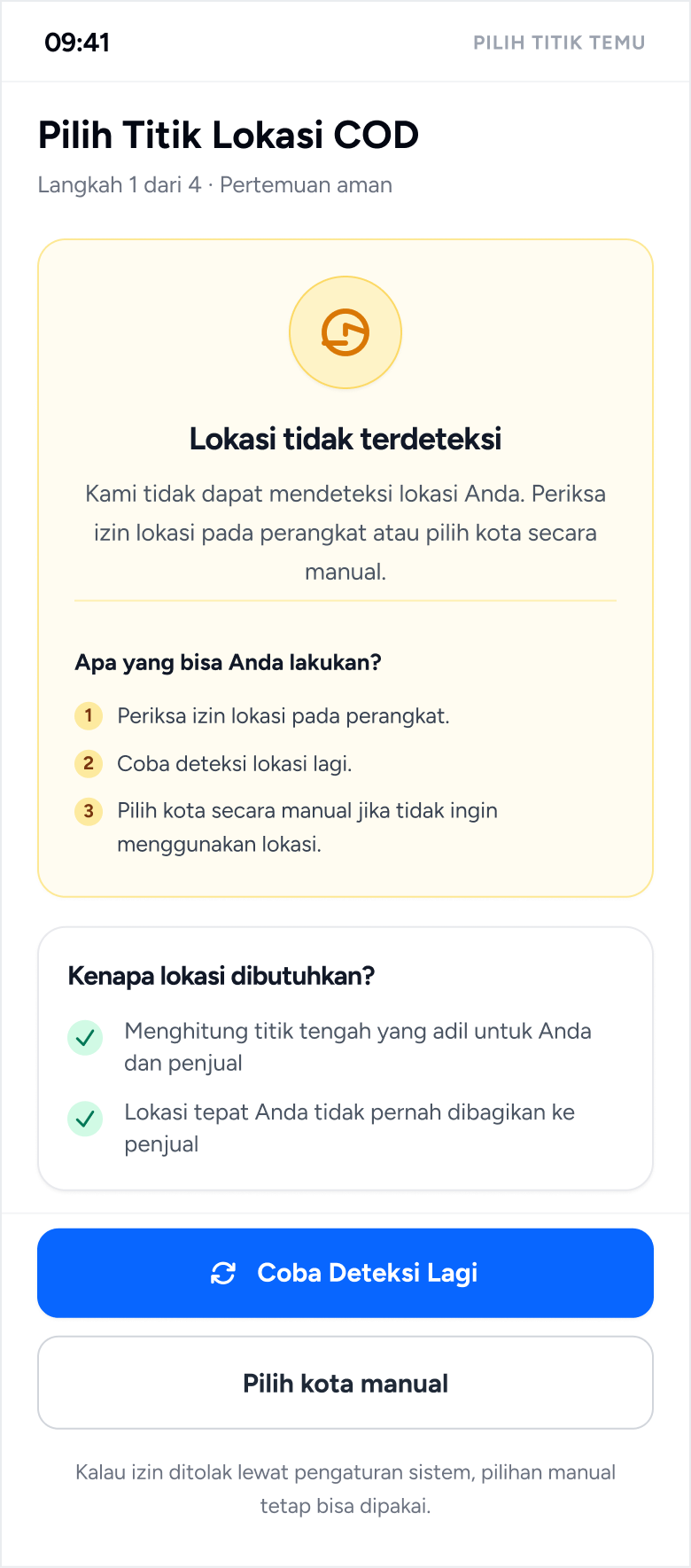
- GPS off → retry · pick city
- Recommended busy places
- Date & time (seller calendar)
- Schedule conflict
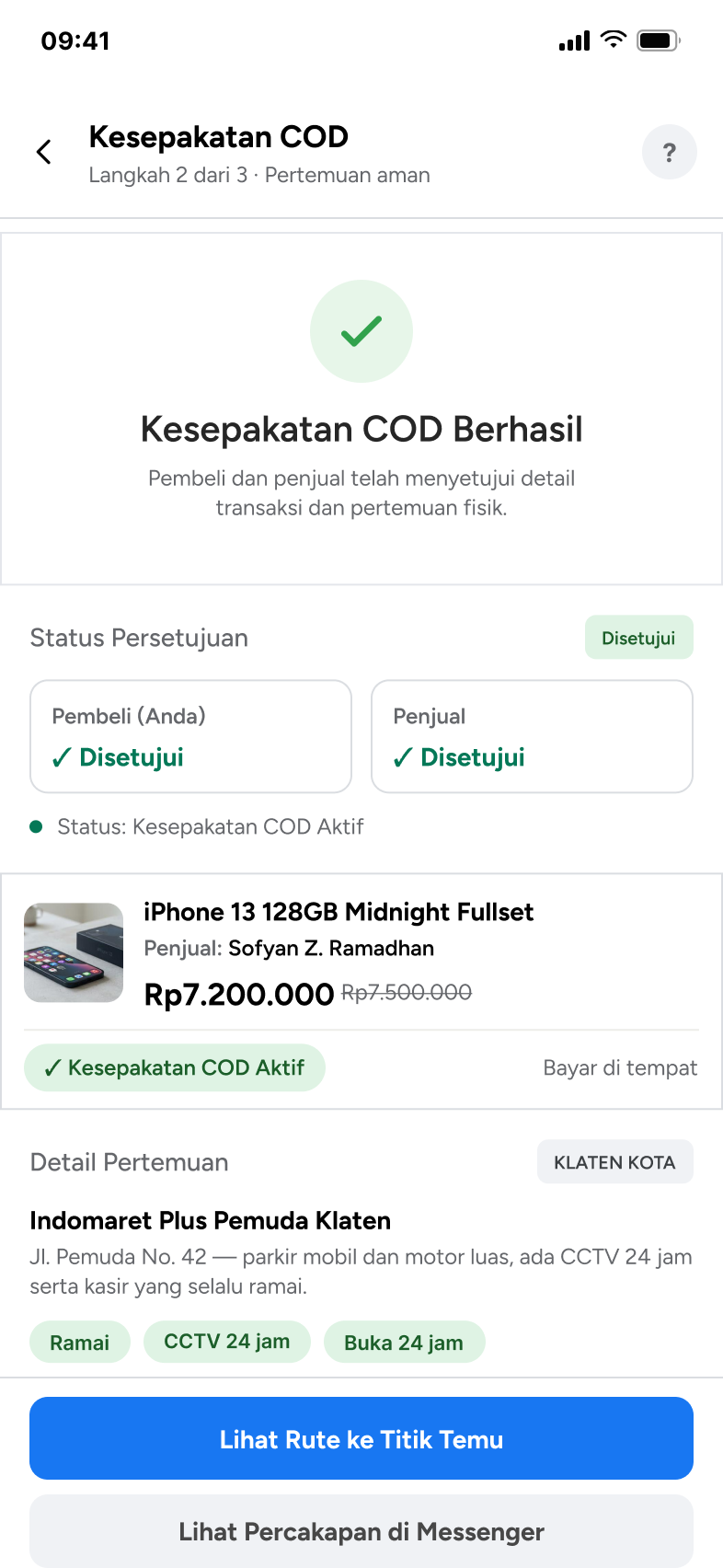
- Agreement summary · buyer ✓ seller ✓
- Keep · reschedule · cancel
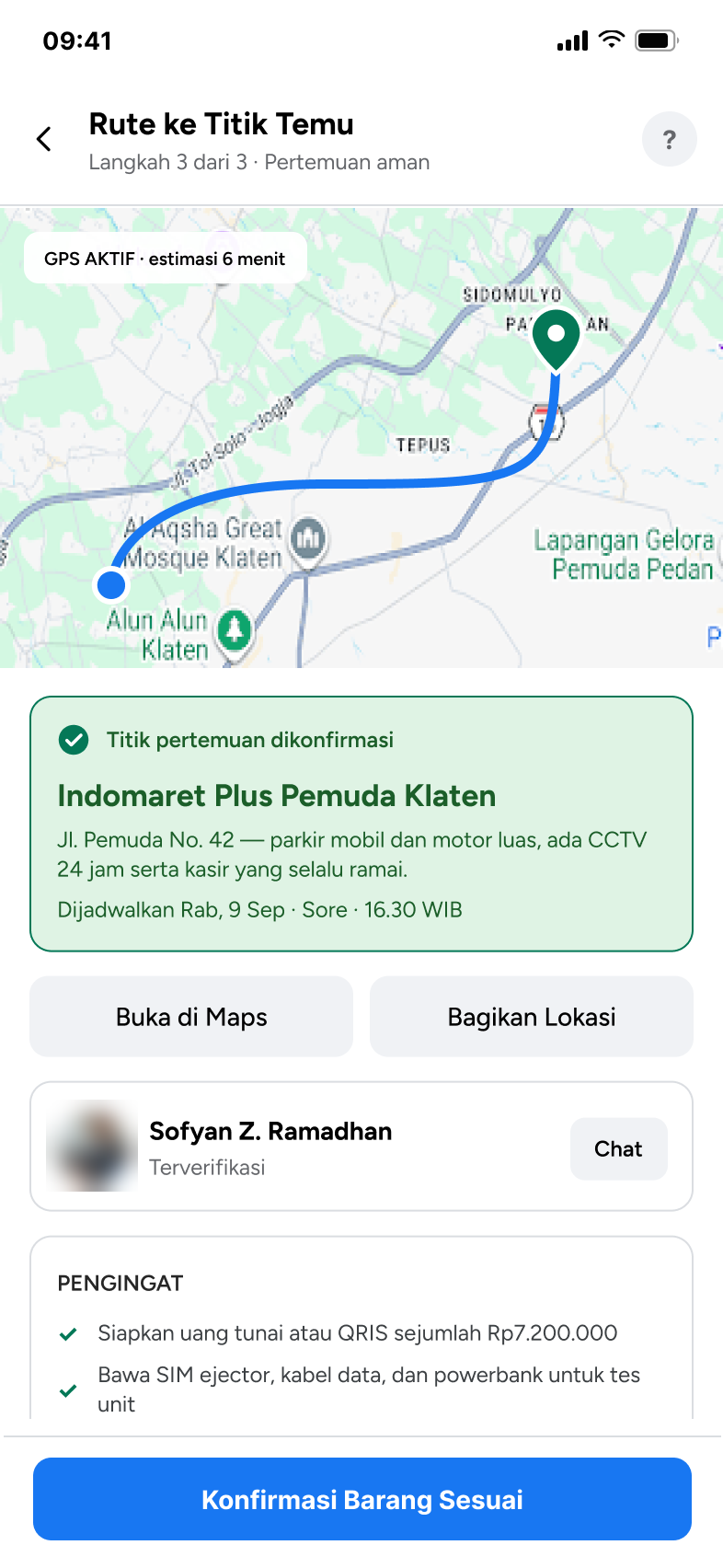
- Route to meeting point
- Reminders (cash/QRIS, cable)
- Item check → confirm
- Cancel with reason · report
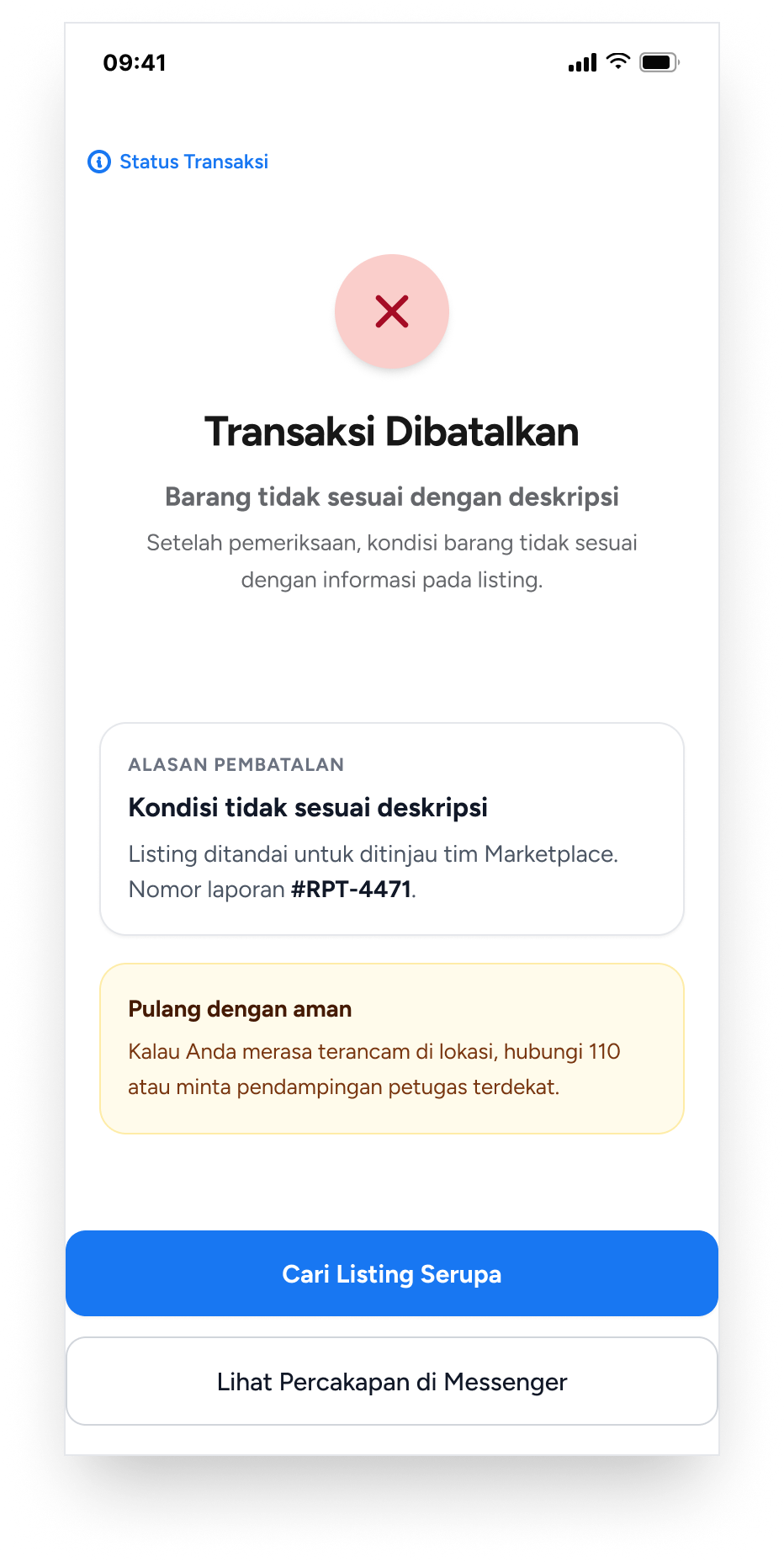
- Transaction cancelled · report no. · safe-home tips
- Transaction complete
- Rate & review → review sent
- ↻ feeds Seller Profile reviews
Before, the meeting was arranged in free-form chat, and trust and safety information never appeared at the point of decision.
- Search
- →
- Product detail · trust unclear
- →
- Chat & negotiate
- →
- Agree to COD
- →
- Arrange location via chat
- →
- Meet · no safety cue
- →
- Inspect
- →
- Pay
The new flow keeps chat, because buyers negotiate there by habit. Once an offer is accepted, the COD setup moves into steps both sides approve. Each decision has a labeled way out — including a cancel that asks why, so a suspicious seller or a request for a down payment gets reported instead of just dropped. The rating at the end closes the loop: a review shows up on the seller's profile for the next buyer.
- Seller trust
- Location & COD
- Safety
- Existing Marketplace step
- NEWStep that didn't exist
- Offline / loop back
- Data feedback (not a user step)
Swipe to see the full flow →
The same path in the hi-fi screens:
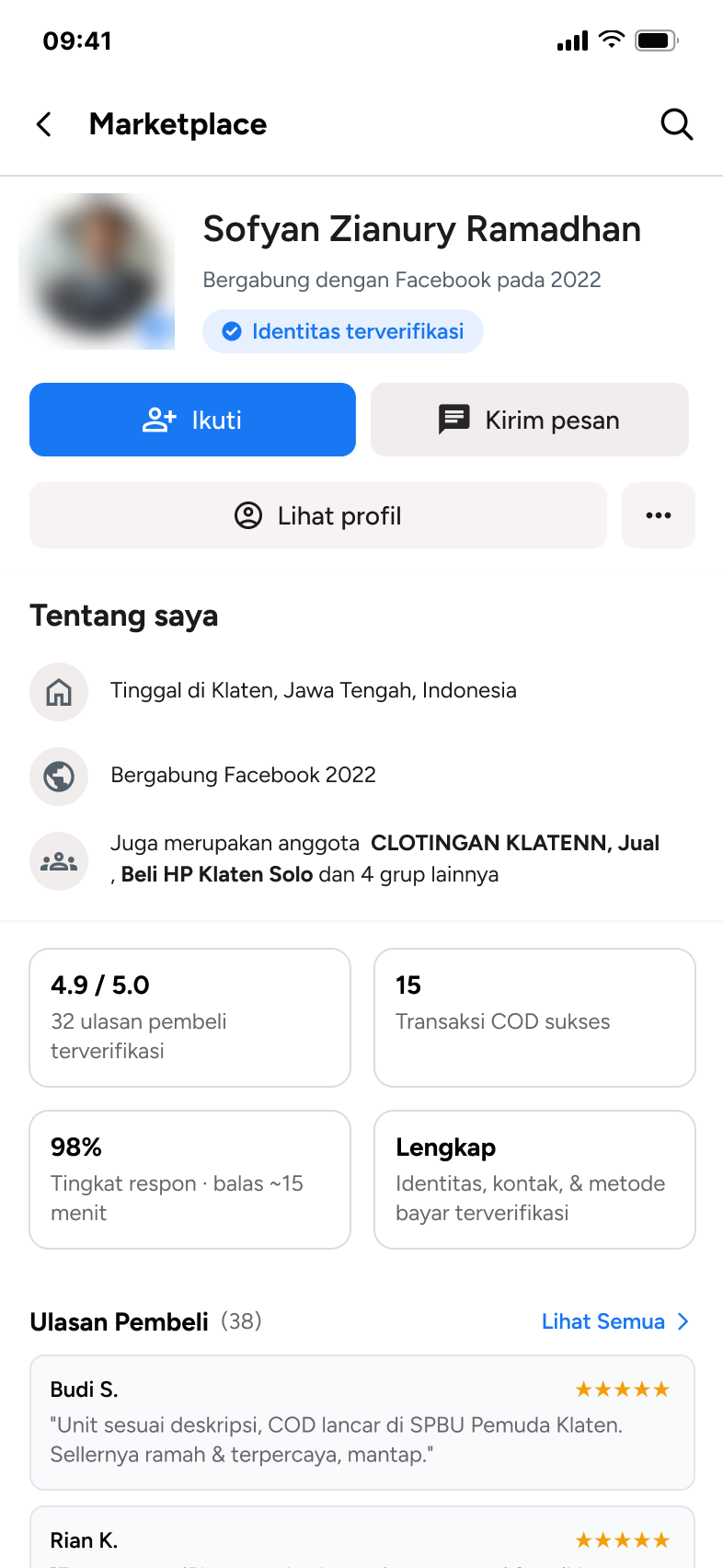
- 1Seller trust
- 2Chat & negotiate
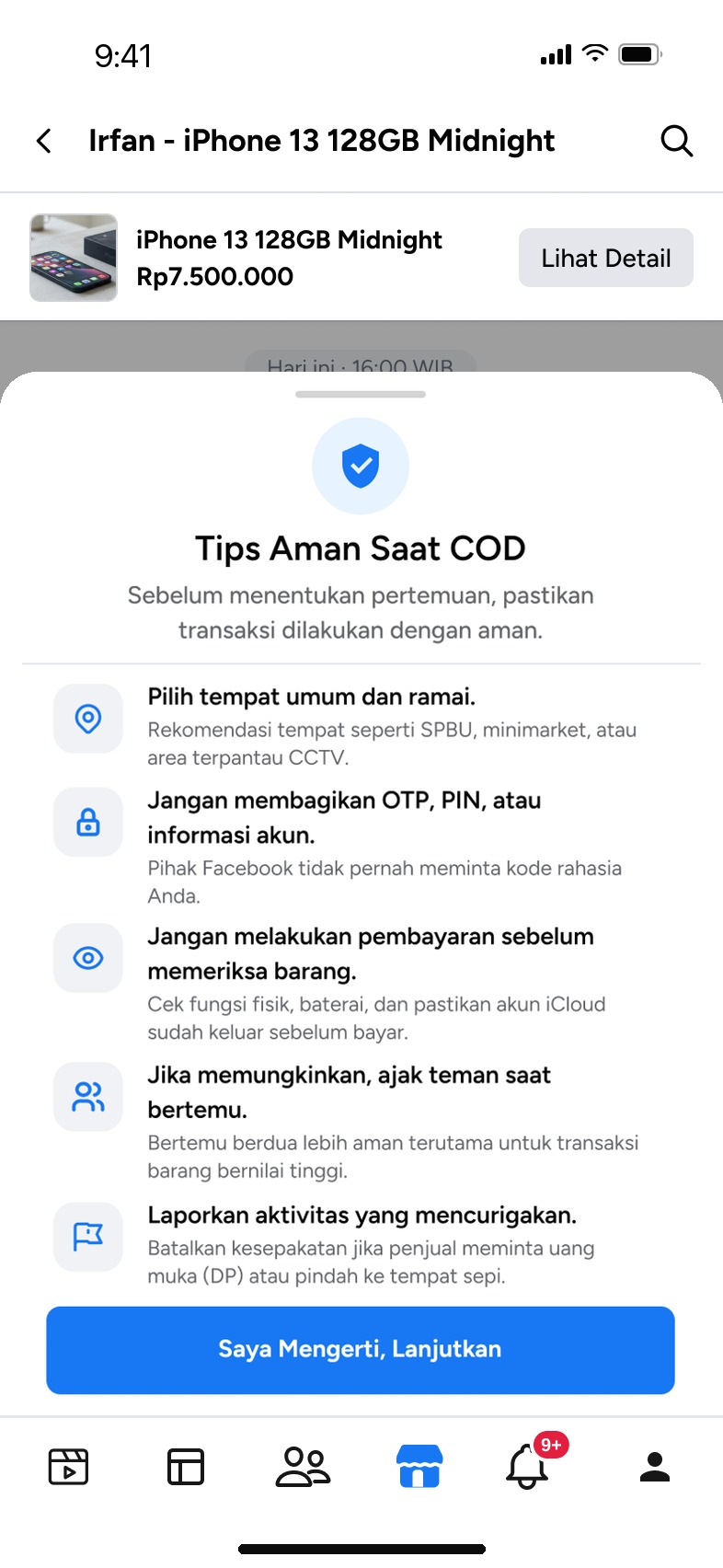
- 3Safety guidance
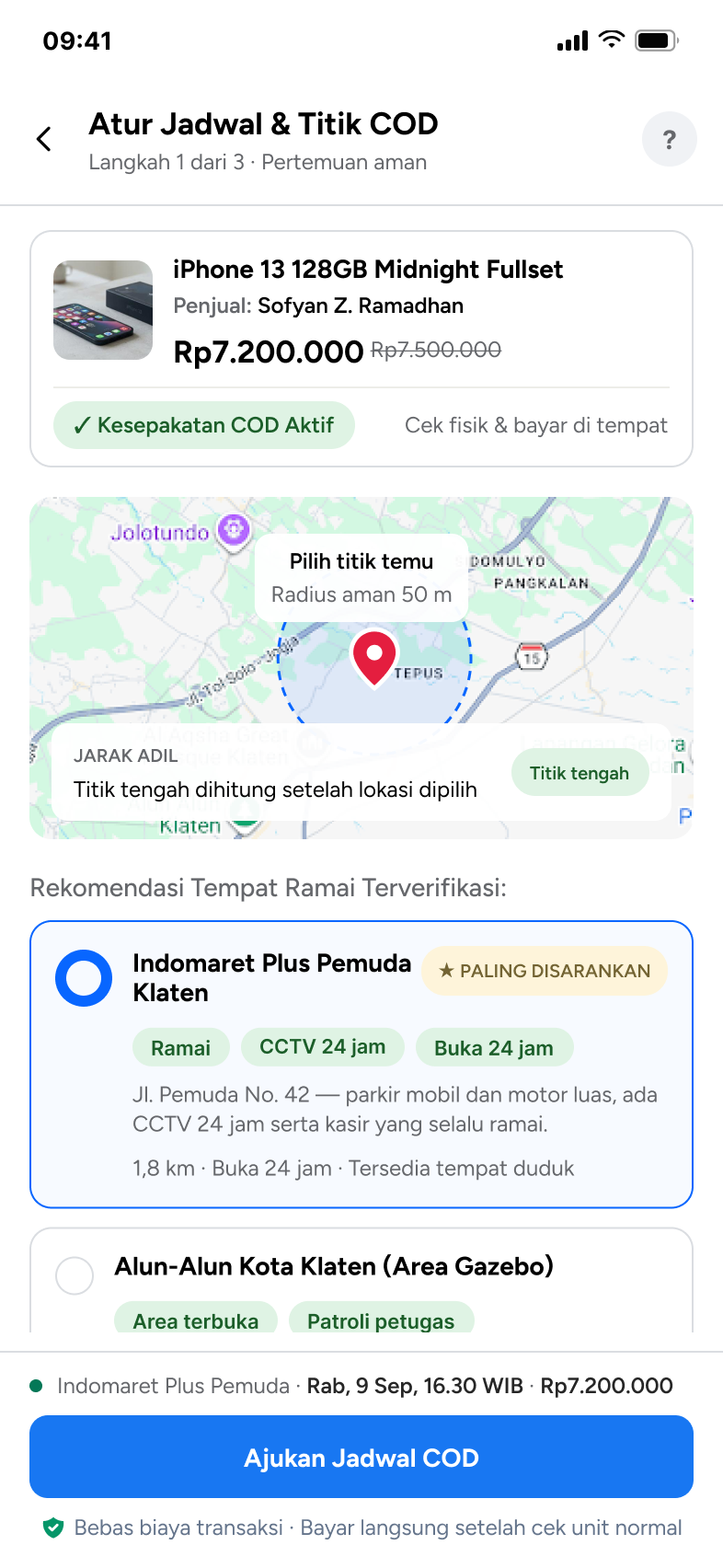
- 4Meeting point & time
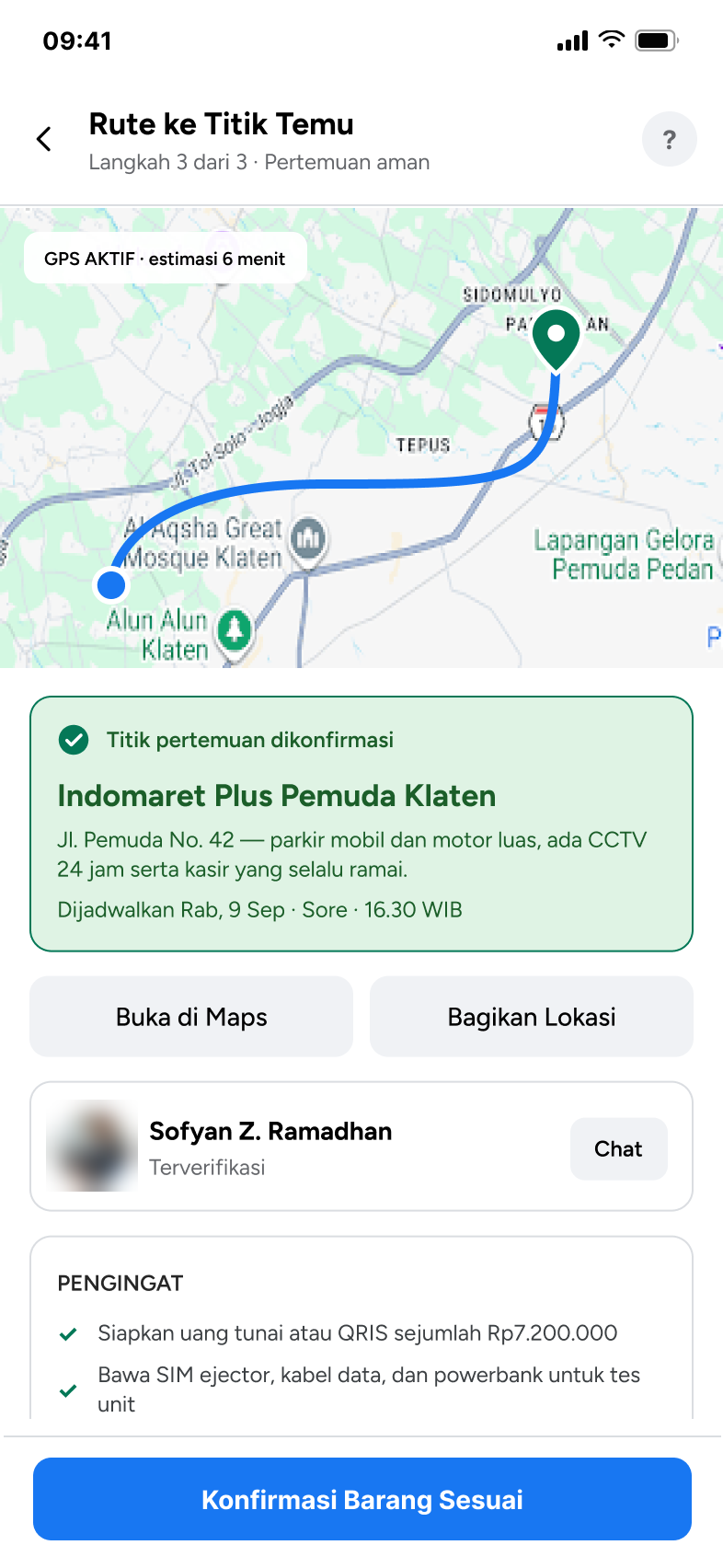
- 5Summary & confirm
- 6Meet & inspect
- 7Complete
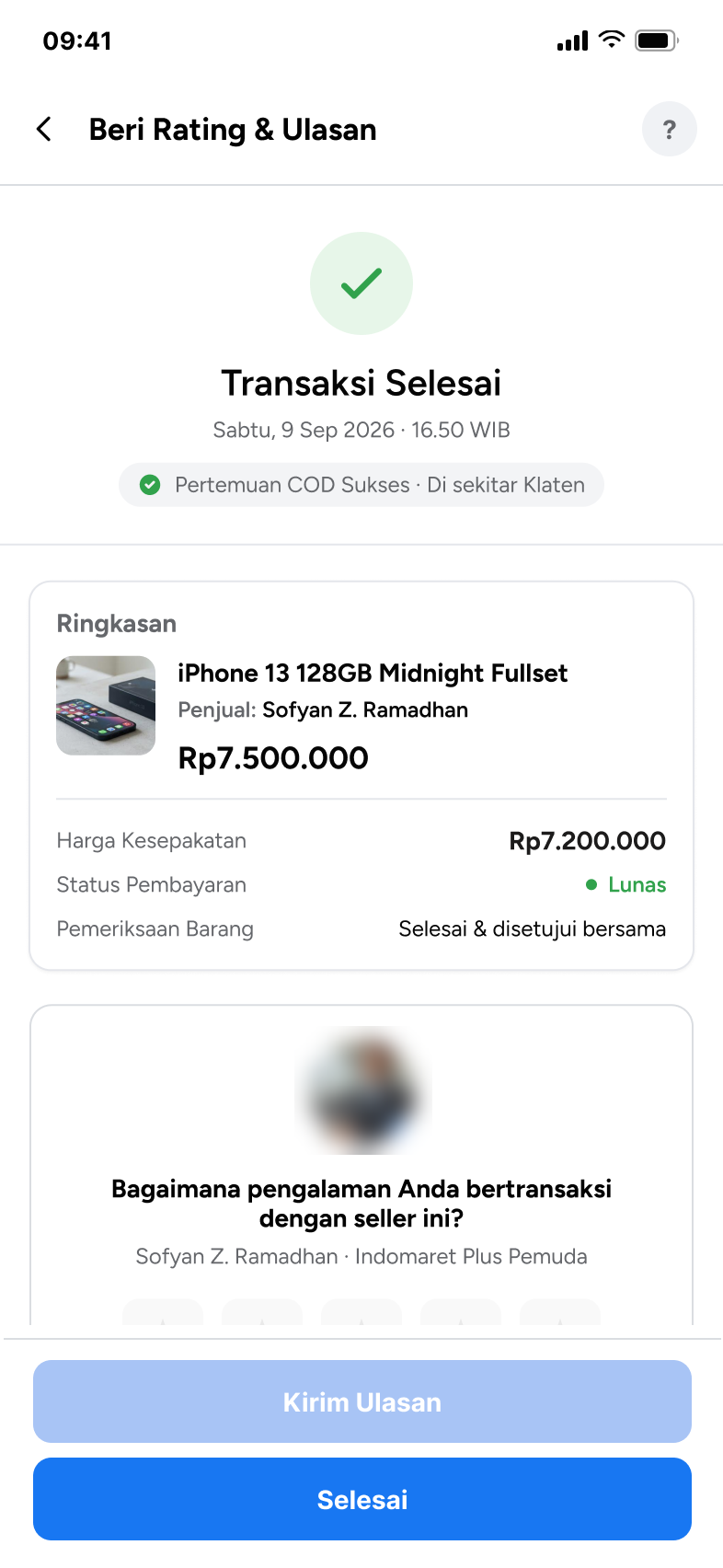
- 8Rate & review
The ways out are designed too:
- Offer declined
- No reply in 4 h
- GPS off
- Why cancel?
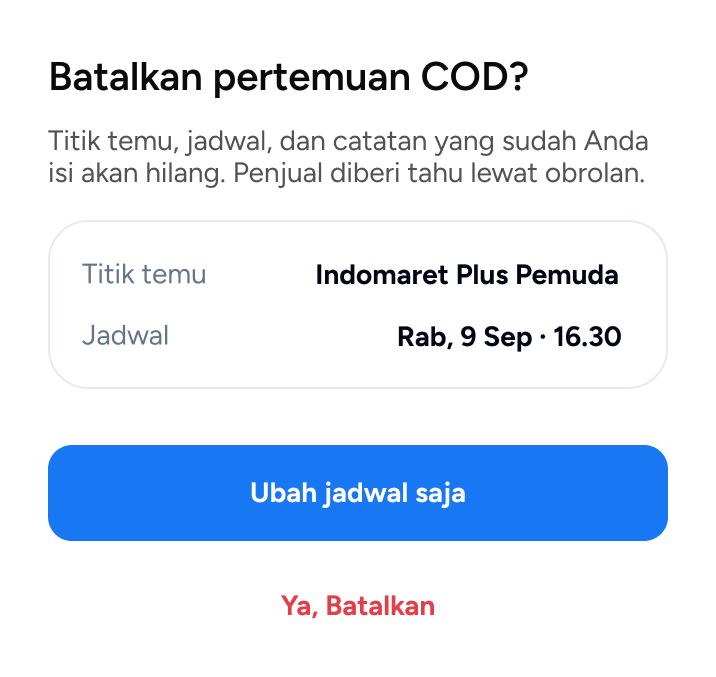
- Cancelled safely
10Lo-fi to hi-fi
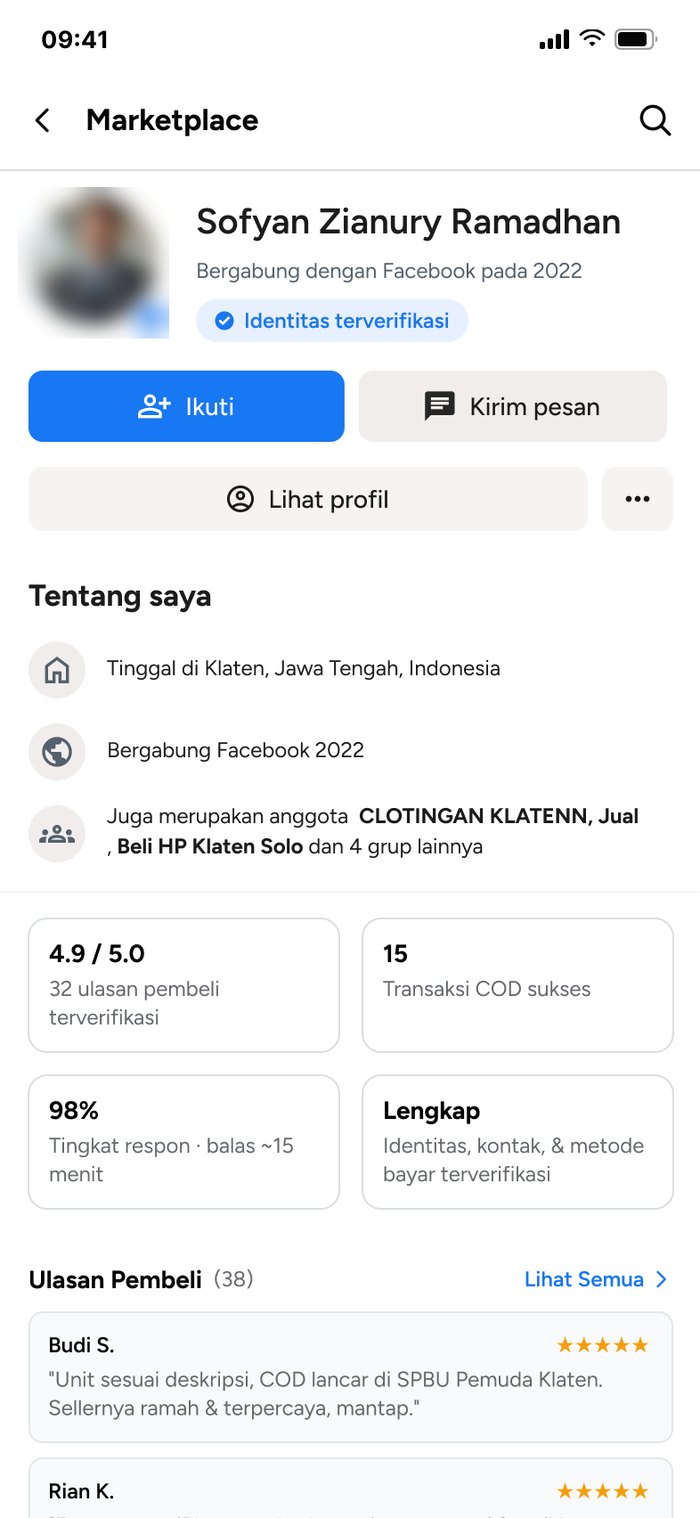
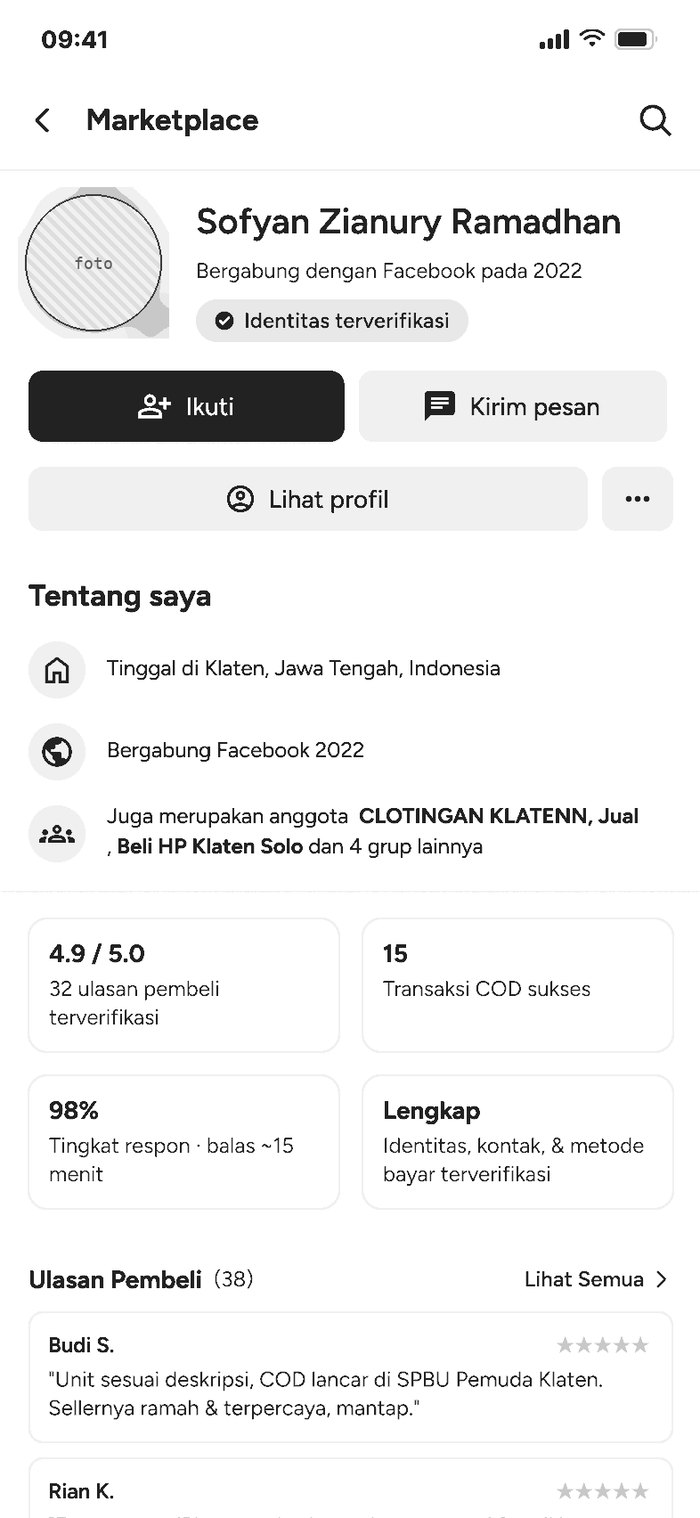
One screen per pain point. The wireframe and the hi-fi share exactly the same layout, so dragging the handle shows only what the visual layer adds: color for state, icons for meaning, and real content where trust depends on it.
Drag the handle to compare.
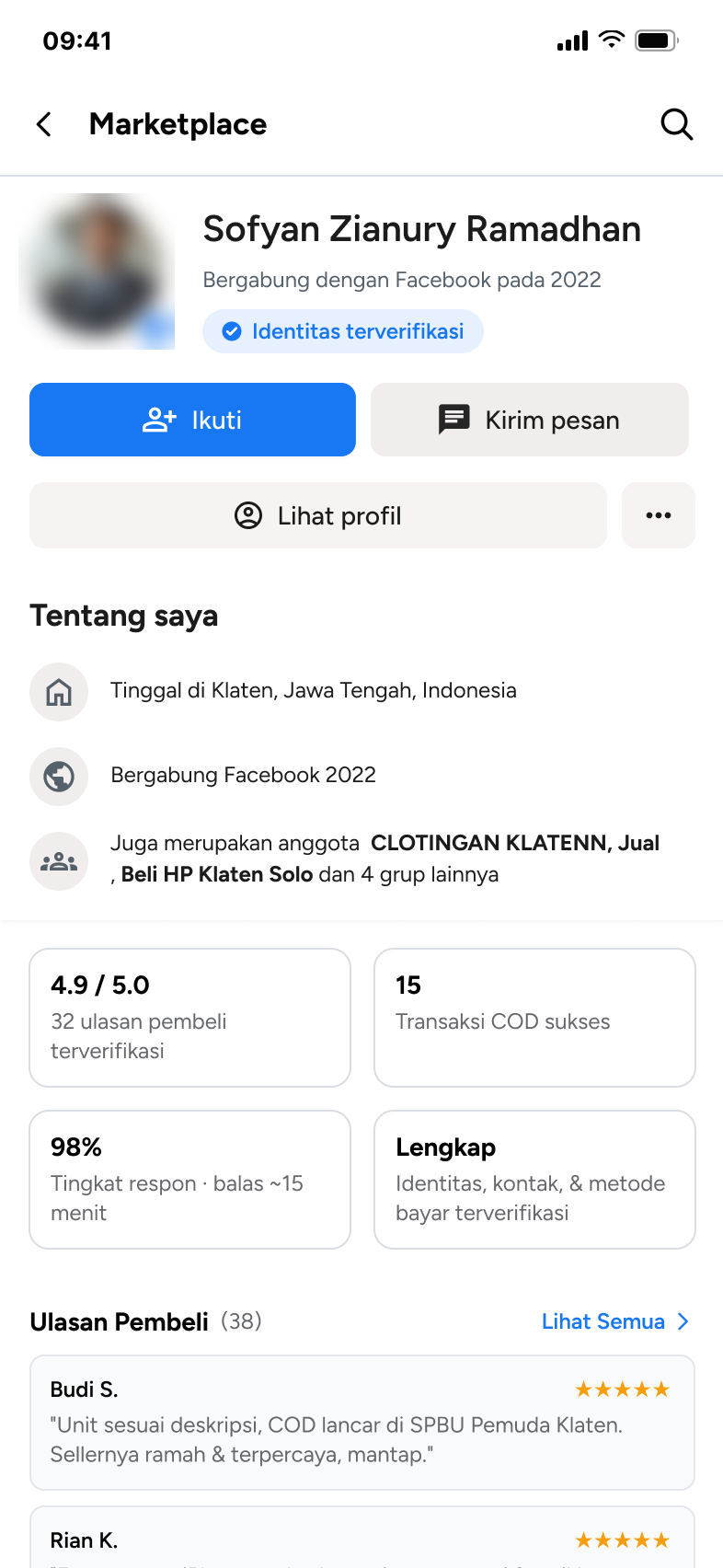
Seller profile
 Lo-fiHi-fi
What hi-fi adds
- Blue for the one primary action“Ikuti” is blue; secondary actions stay gray.
- A verified tick and a blue “Identitas terverifikasi” chipTrust signals read as status, not as body text.
- Gold stars on every buyer reviewRatings can be scanned before reading a word.
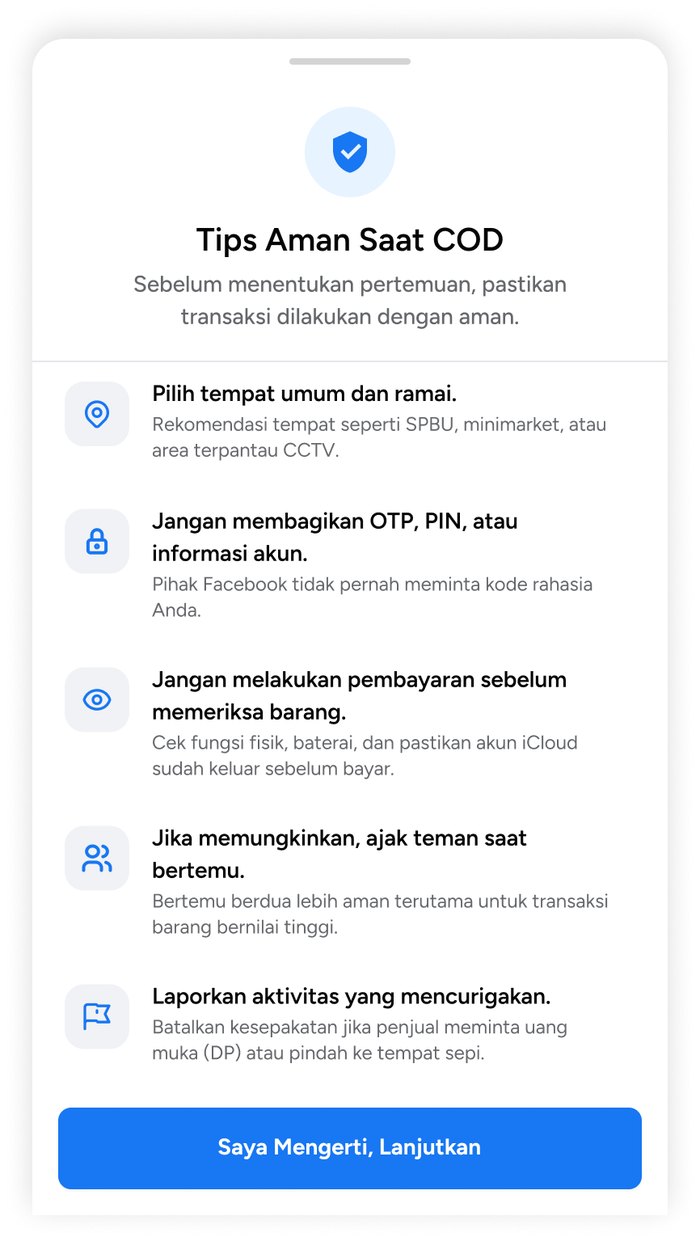
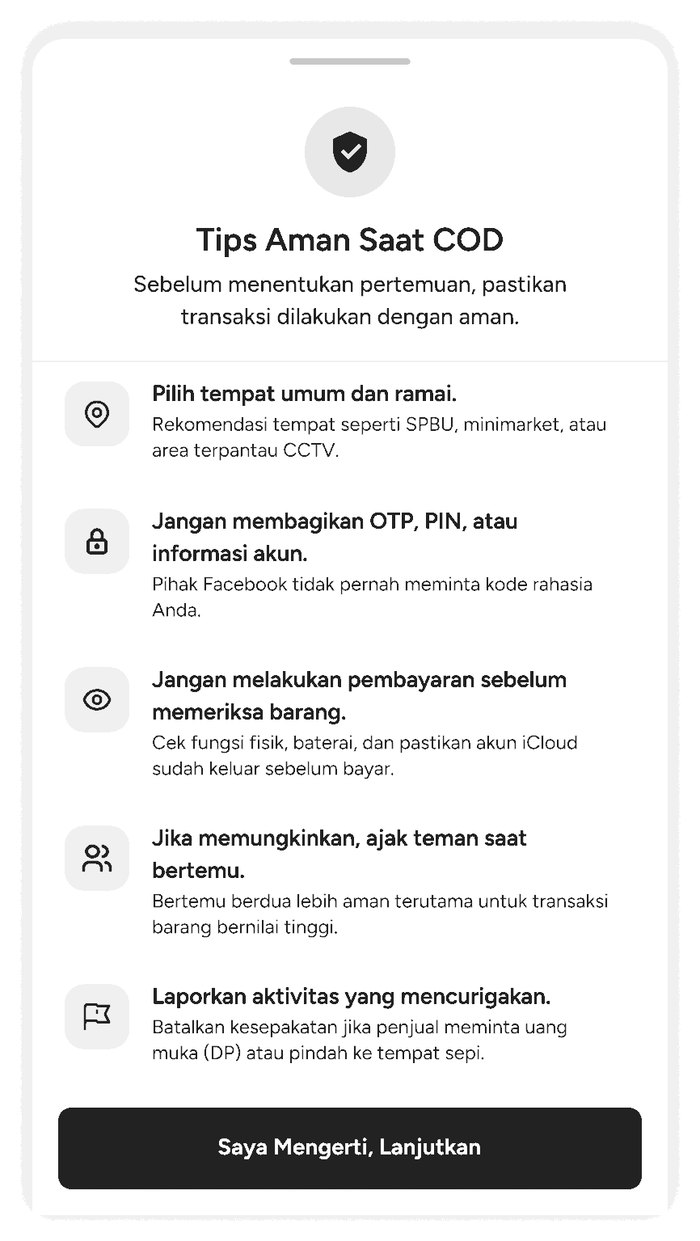
Safety tips before setting a meeting
 Lo-fiHi-fi
What hi-fi adds
- A shield on a blue tint at the topMarks the sheet as a safety moment, not an ad.
- One blue icon per tipPlace, account, inspection, companion, report — each tip scans in a glance.
- A single blue button“Saya Mengerti, Lanjutkan” is the only way forward.
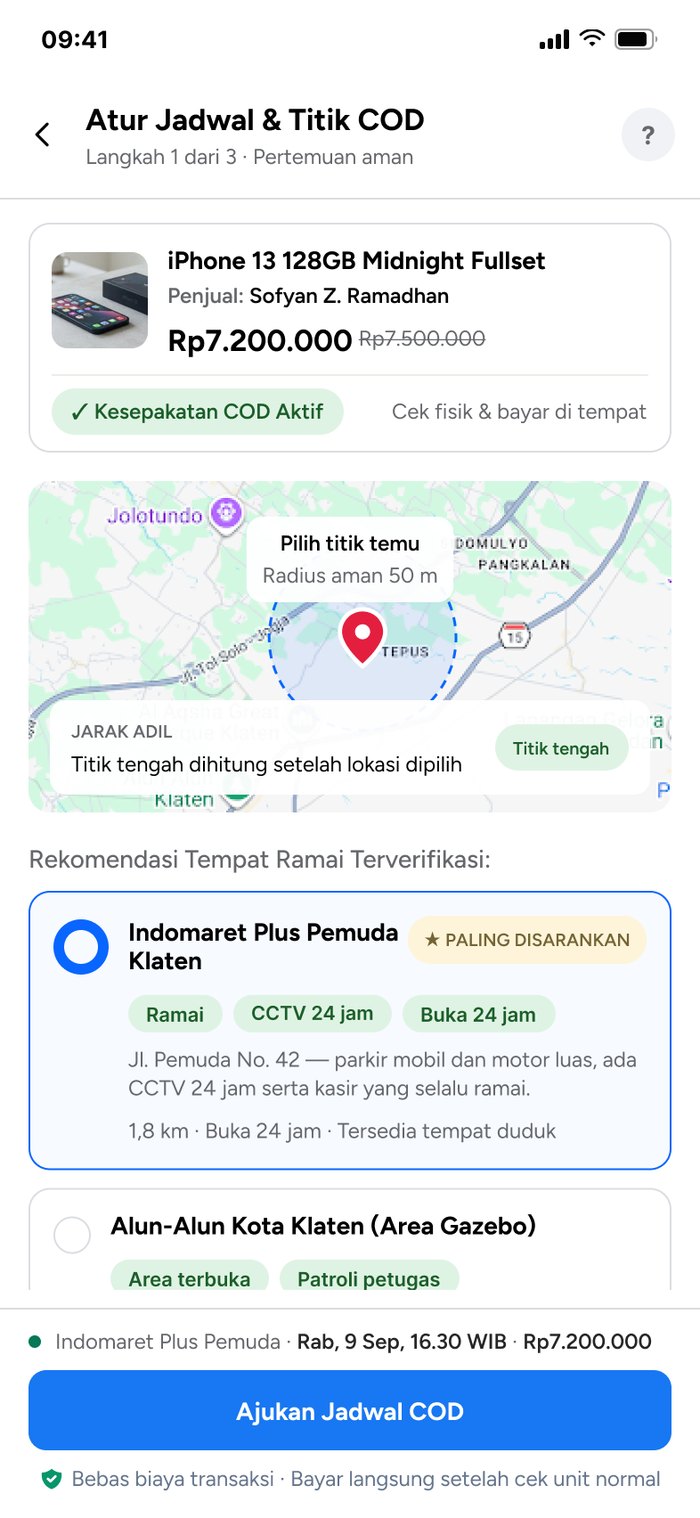
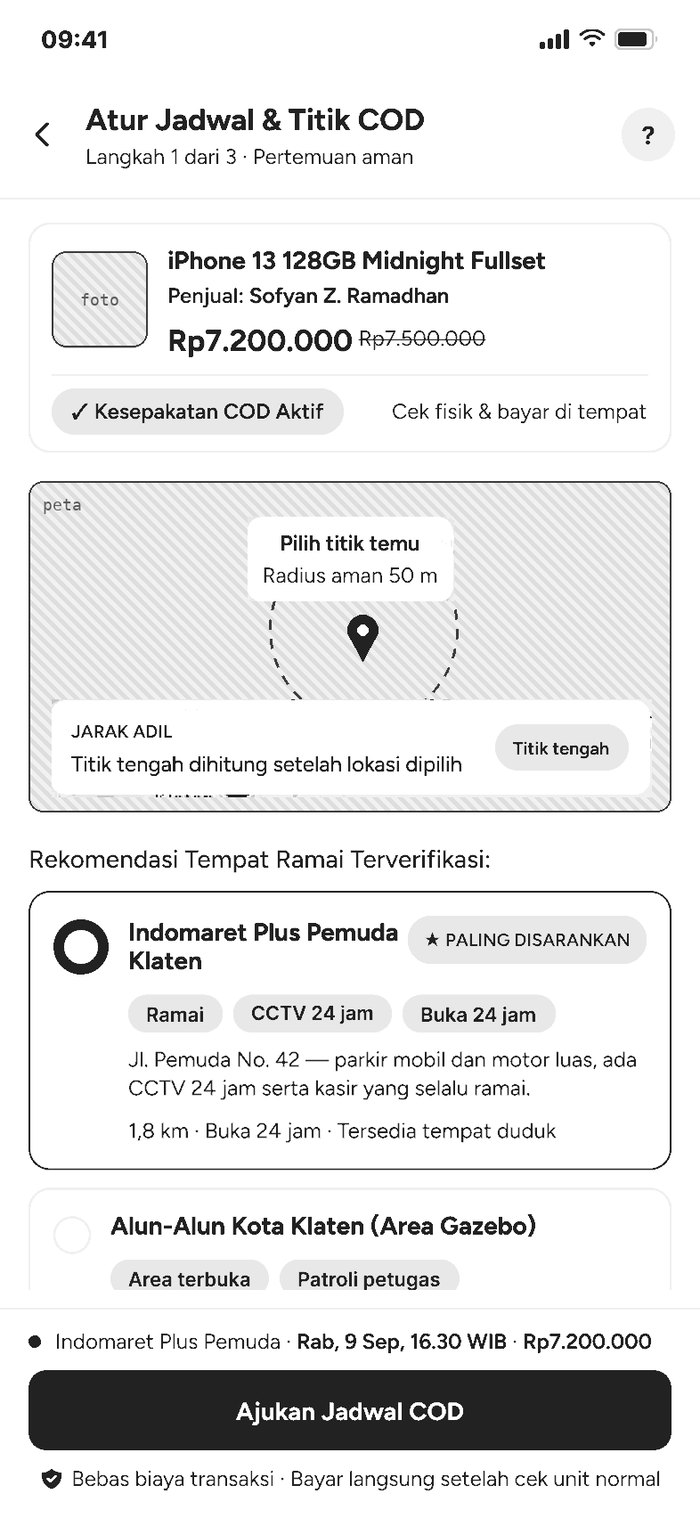
Meeting point
 Lo-fiHi-fi
What hi-fi adds
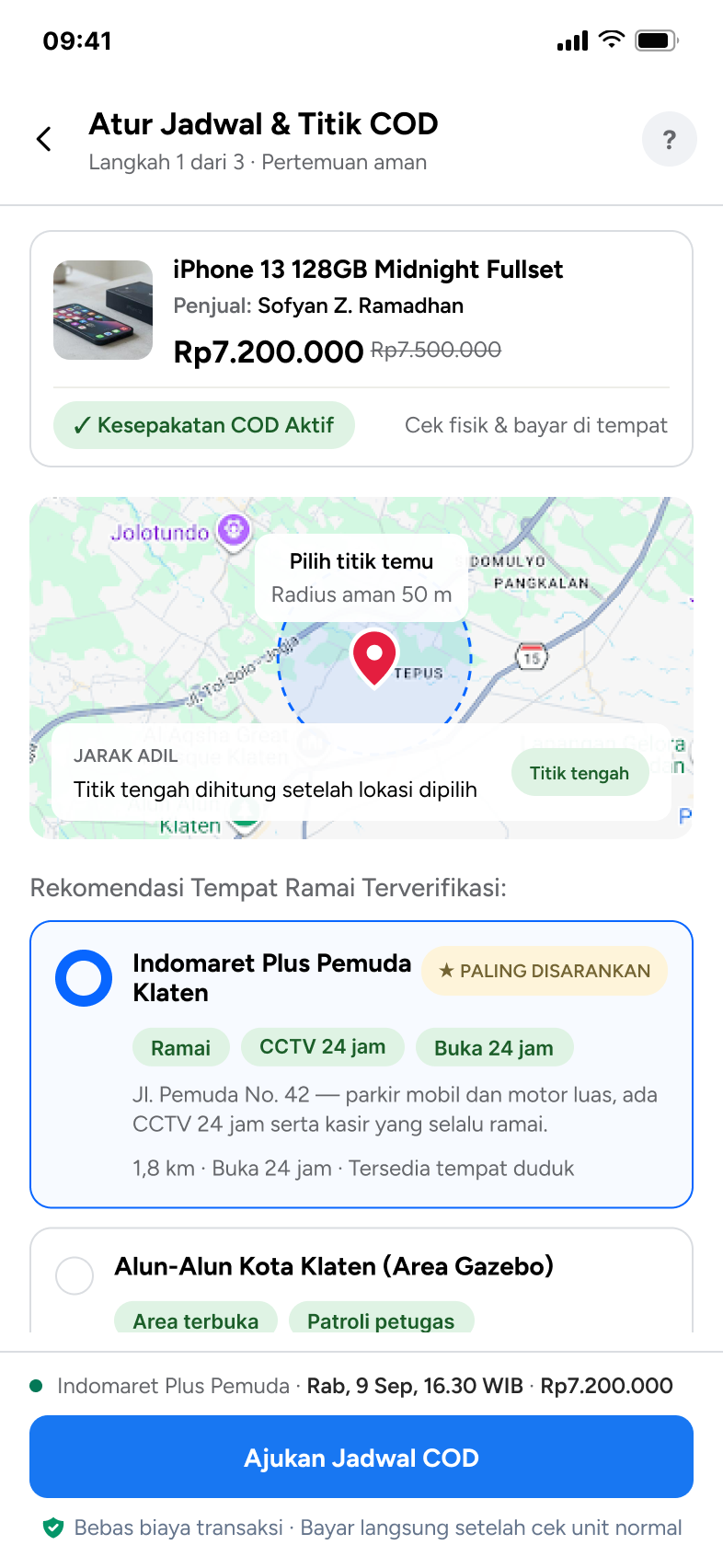
- A real map with a red pin and a dashed 50 m radiusThe point is precise enough to meet at.
- Green tags and a yellow “Paling disarankan” badgeRamai · CCTV 24 jam · Buka 24 jam answer “is it safe?” first.
- A blue border and filled radio on the chosen placeThe selection and the blue “Ajukan Jadwal COD” button match.
11Design system
A mini design system built from the team's Figma library and checked against the final screens: Facebook blue #1877F2 for action, Figtree for type, and a small set of components — each one tied to a pain point.
Color
One blue for action, gray for everything else, and three status colors that only ever mean safe, caution, or danger.
Action
#1877F2Primary button, links, selected state#E7F0FFSecondary button, safety banner, icon chips#F7FAFFBackground of the chosen cardNeutral
#050505Titles and body text#65676BMeta: distance, time, labels#E4E6EBBorders and dividers#F0F2F5Fields, icon tiles, page fillStatus
#DFF3E4Text #1B5E29 · agreement active, safety tags#FEF4DAText #736433 · recommended badge, late-time warning#E33F4AText #B91C1C · cancel, reportTypography
Figtree for every text style, six sizes. Weight carries hierarchy; color is saved for status.
Spacing & shape
A 4-point scale from the team's Figma library. Radius grows with the size of the element.
Components
Only what the three pain points needed, plus the four base pieces they sit on. Every example below is live HTML using the tokens above.
Base
Blue only for the single next step on a screen. Secondary uses the blue tint; destructive is red and never the default.
The field and chips stay as Marketplace has them; the location chip carries the radius.
Seller trust
A status, not a sentence. It names the check without listing personal data.
Every number comes from completed COD deals, so the card can be read in a glance.
“Unit sesuai deskripsi, COD lancar di SPBU Pemuda Klaten.”
Stars first, then a quote tied to a real meetup.
Location & COD
Green means both sides agreed. It sits under the price so the deal and its terms read together.
Each place shows why it is safe. Only one card per list gets the yellow badge.
Four days and a short list of times instead of a full picker, so the choice is fast.
Safety
One calm line on Home, before anyone searches.
One icon per tip on a gray tile, title in ink, reason in sub.
Shows after a night slot is picked. Two ways out: change the time, or continue.
12The three solutions
One screen per pain point, in the order a buyer meets them: check the seller, pause for safety, then set the meeting.
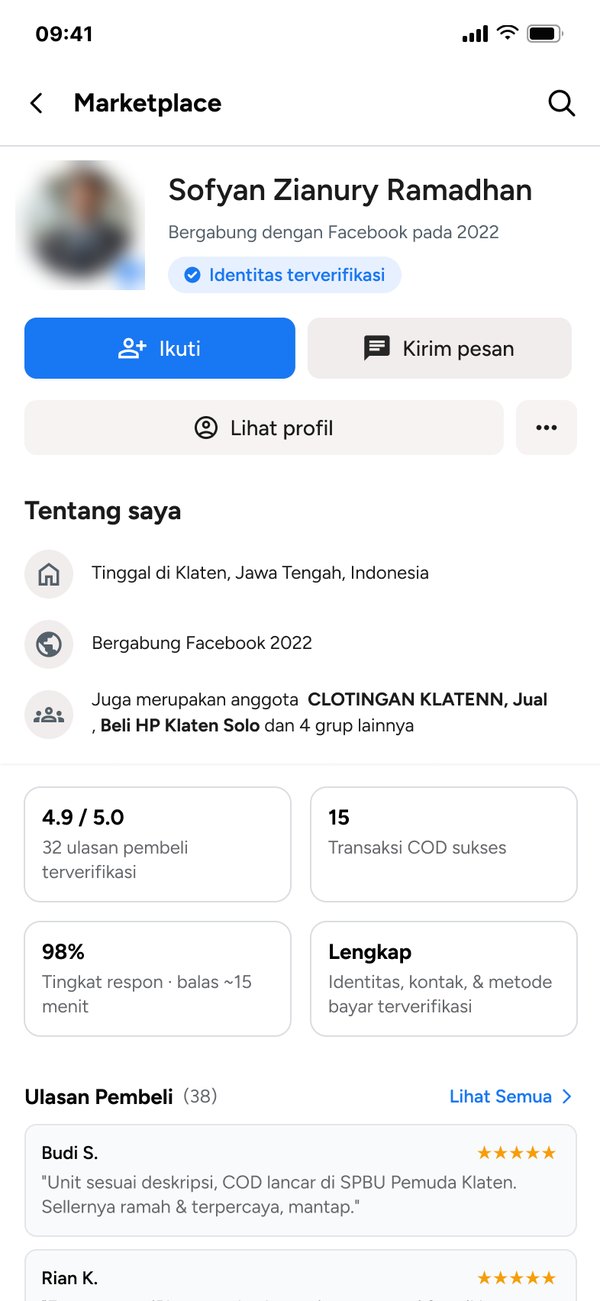
A Seller Trust Profile.
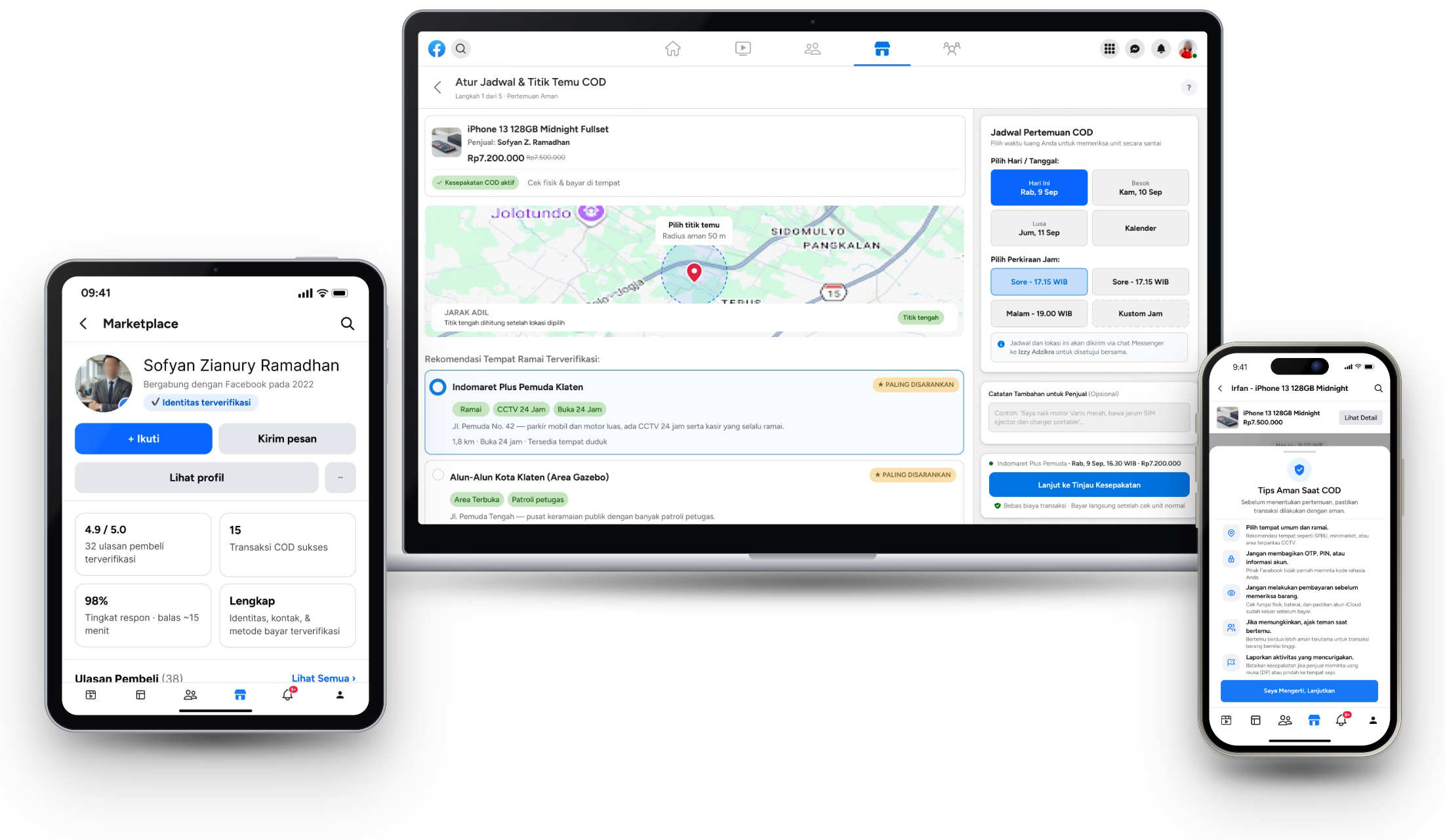
The information buyers were already hunting for — verification, rating, reviews, response time — surfaces in one place instead of being pieced together from a profile and a chat history.
- “Identitas terverifikasi” chip, without exposing which data was checked
- 4.9 / 5.0 from 32 verified buyer reviews
- 15 successful COD deals · 98% response rate
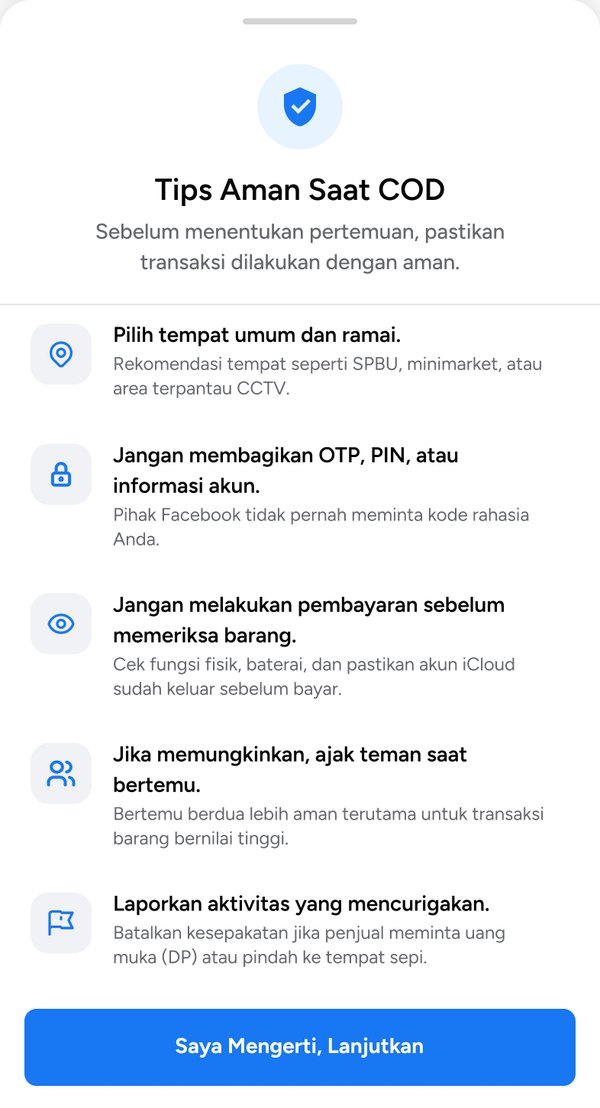
Guidance at the right moment.
Five safety tips appear once a deal is reached, right before the meeting is set — not on first open, where they would just be noise. Timing the warning to the moment of actual risk was the point, not the warning itself.
- Public, busy places such as petrol stations or minimarkets
- Never pay or send a down payment before inspecting the item
- Report and cancel if the seller asks to move somewhere quiet
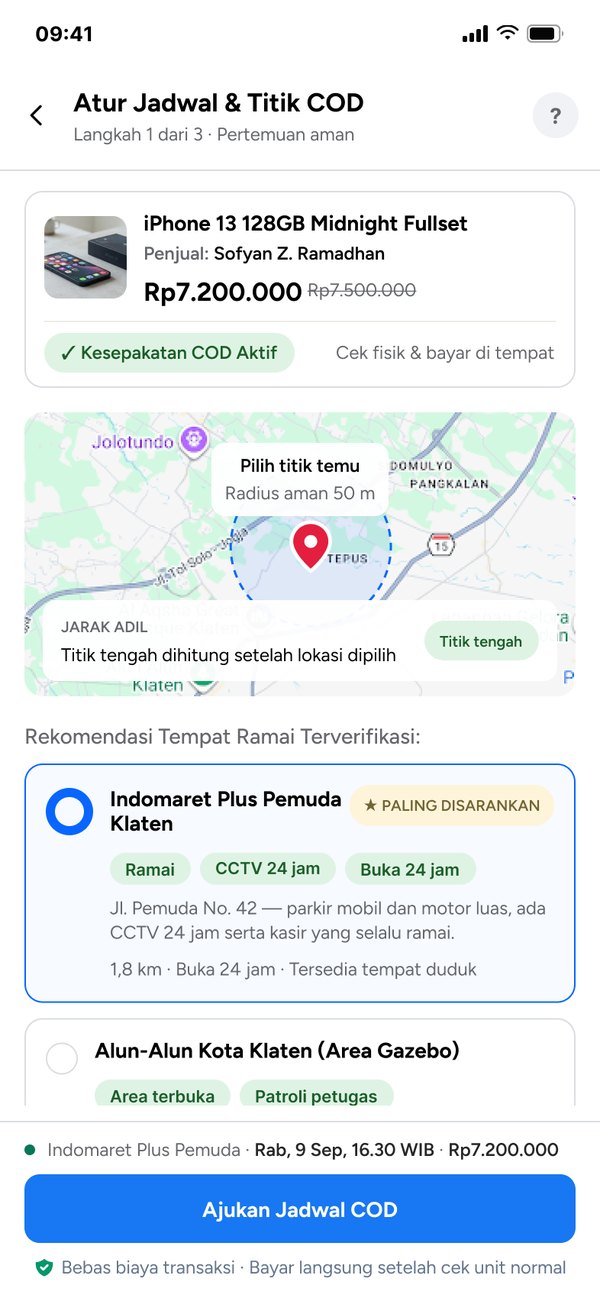
A structured meeting form.
Instead of negotiating a meeting point through back-and-forth chat, both sides agree on it through one short form. What used to be an implicit, easy-to-miscommunicate step becomes an explicit one both sides confirm.
- A pinned point with a 50 m safe radius
- Recommended places tagged Ramai · CCTV 24 jam · Buka 24 jam
- One button sends the proposed time and place to the seller
13Prototype — one experience, three breakpoints
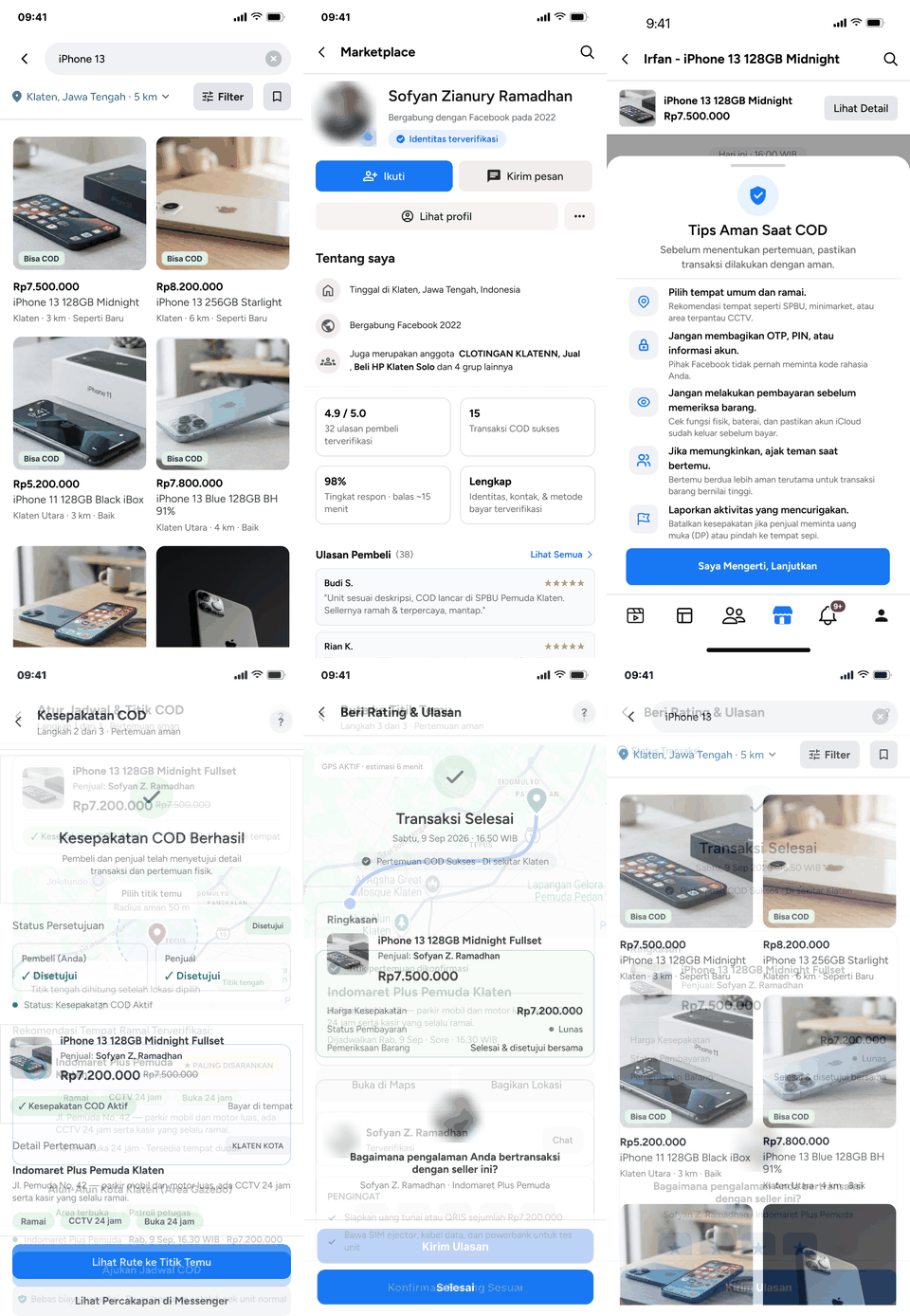 Open prototype ↗
Try the whole COD flow yourself.
Ten screens from search to rating, in about 15 seconds. The live version lets you filter, send an offer, pick a meeting point, and confirm the item.
- Search
- Product detail
- Seller trust
- Offer in chat
- Safety tips
- Meeting point
- COD agreed
- Route
- Complete
- Rating
The prototype covers 44 screen states on mobile, plus tablet and desktop variants, across the end-to-end flow:
Product Detail → Seller Trust → Chat & Offer → Safety Tips → Meeting Point & Time → COD Agreed → Route → Item Check → Complete → Rating
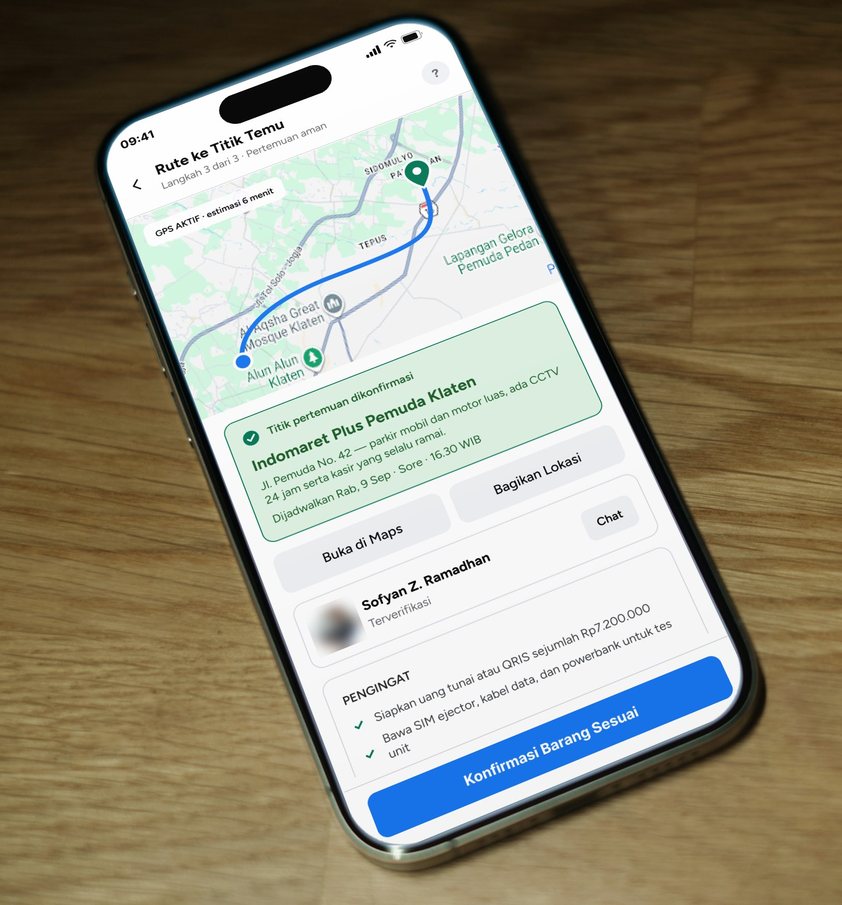 Mobile · 375 pxOn the way to meetOne decision per screen; the next step stays within thumb reach.
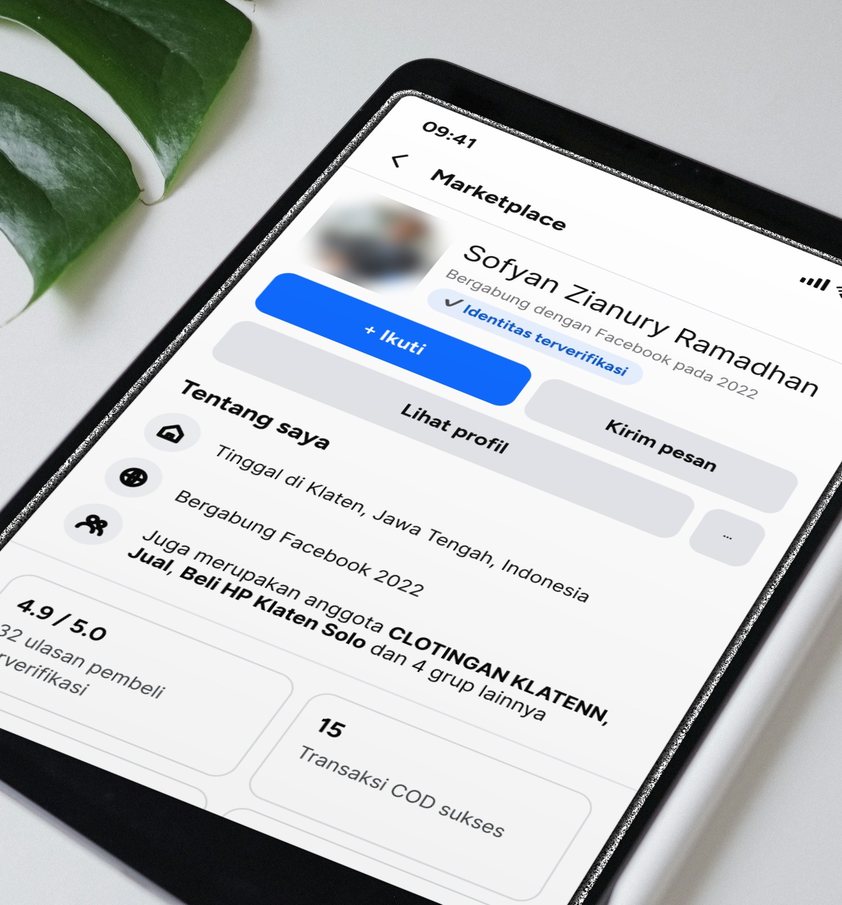 Tablet · 834 pxWeighing the sellerMore room for the seller’s track record: rating, verified reviews, successful CODs.
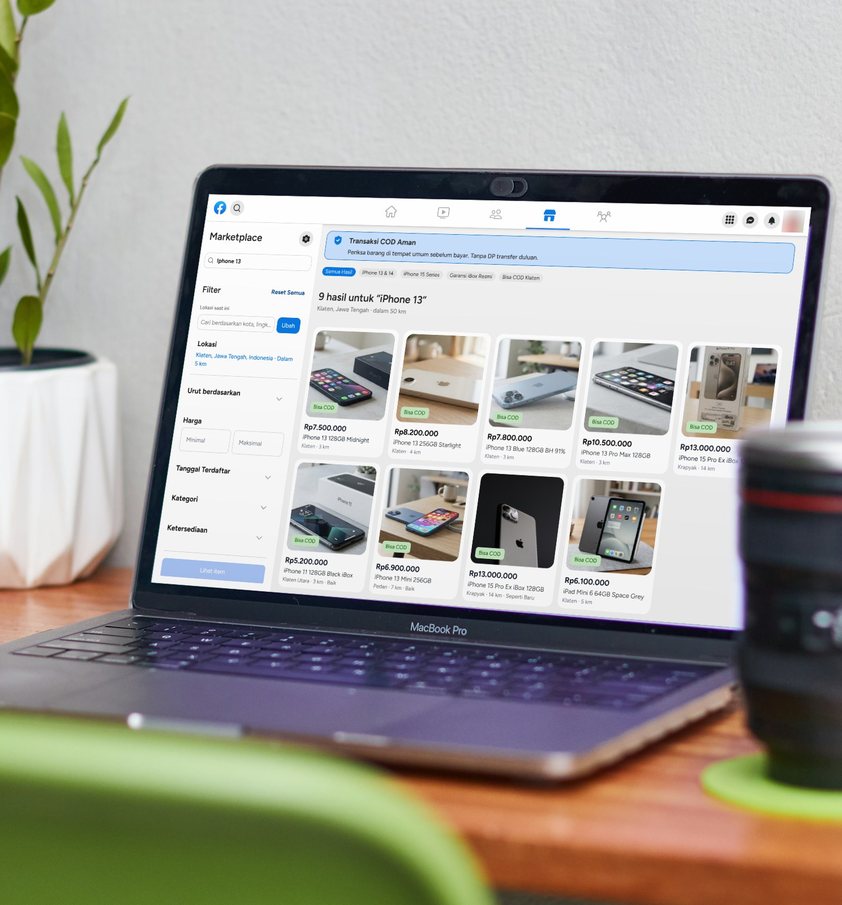 Desktop · 1440 pxSearching at homeFilters and results side by side, with the COD safety banner on top.
Photos: appshunter.io, The Maker Jess, and Gabre Cameron on Unsplash. Screens placed by the author; profile photos blurred.
Beyond the happy path, the prototype designs what happens when something goes wrong, and tries to stop it from going wrong in the first place. Every state says what happened and offers a next step.
- No results — suggests widening the radius, with one button to reset filters.
- Listing already sold — the page says plainly that the seller has closed it, instead of a dead end.
- Offer declined — accept the seller's counter, re-offer, or look elsewhere.
- Seller silent for 4 hours — remind, see 5 similar listings, or cancel; the offer expires at 24 hours.
- Item not as described — cancel with a reason; a suspicious seller or a down-payment request is reported, and the buyer gets a report number and a get-home-safe note.
- Safety banner on Home, before anyone searches.
- Safety tips right before the meeting is set.
- Location permission explained, with a manual city option if GPS is off.
- Seller's calendar — busy times are disabled, and late slots trigger a warning.
- Cancel confirmation — keep the plan, reschedule, or cancel, so nothing is dropped by accident.
- Item check gate — "checked in person" must be ticked before the item is confirmed.
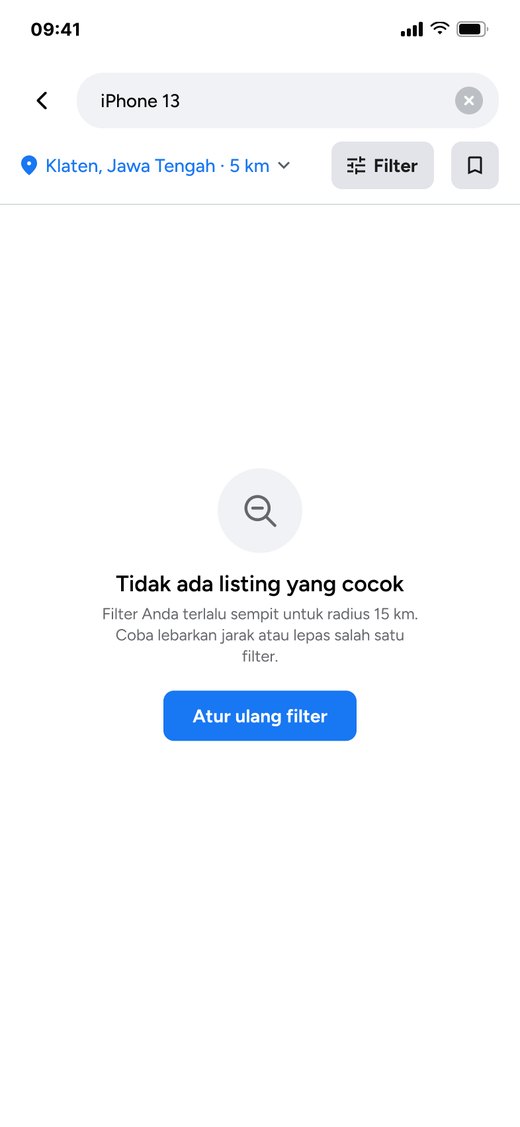
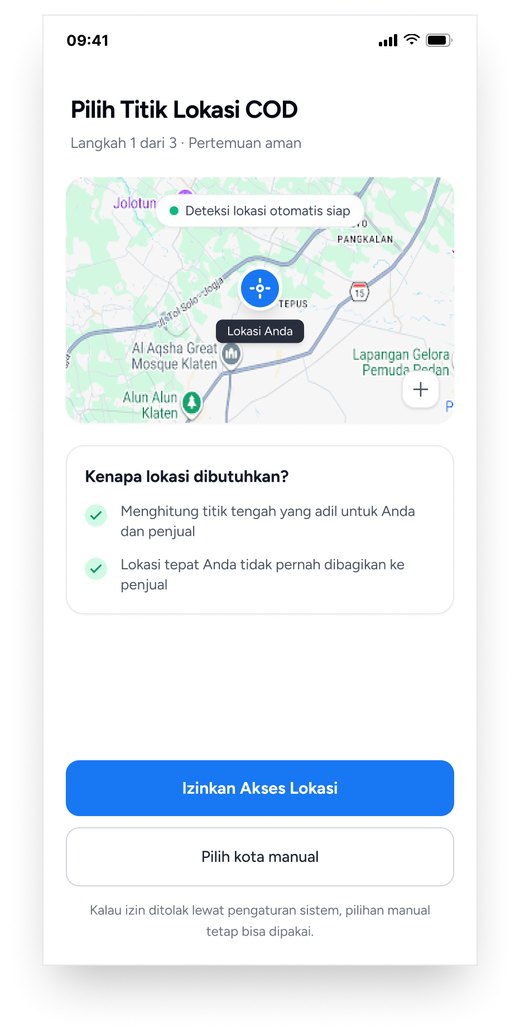
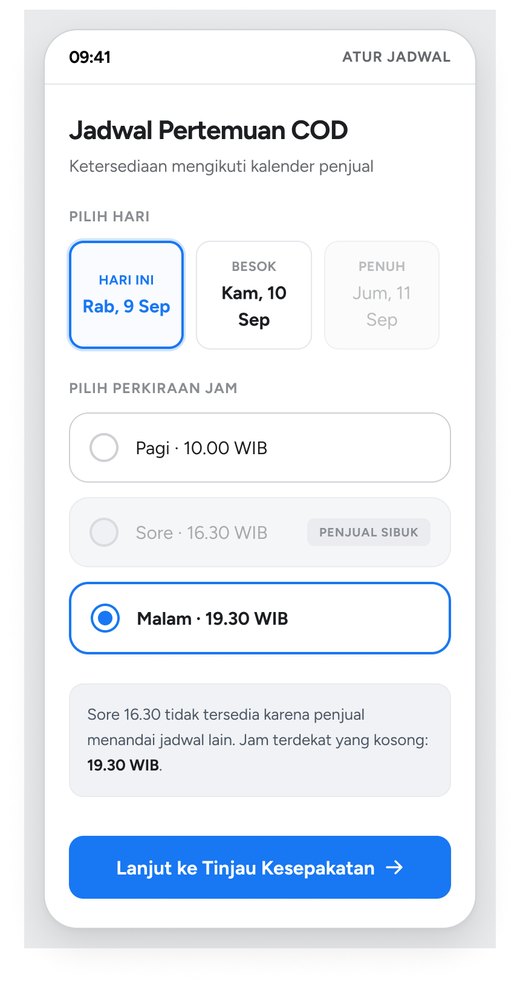
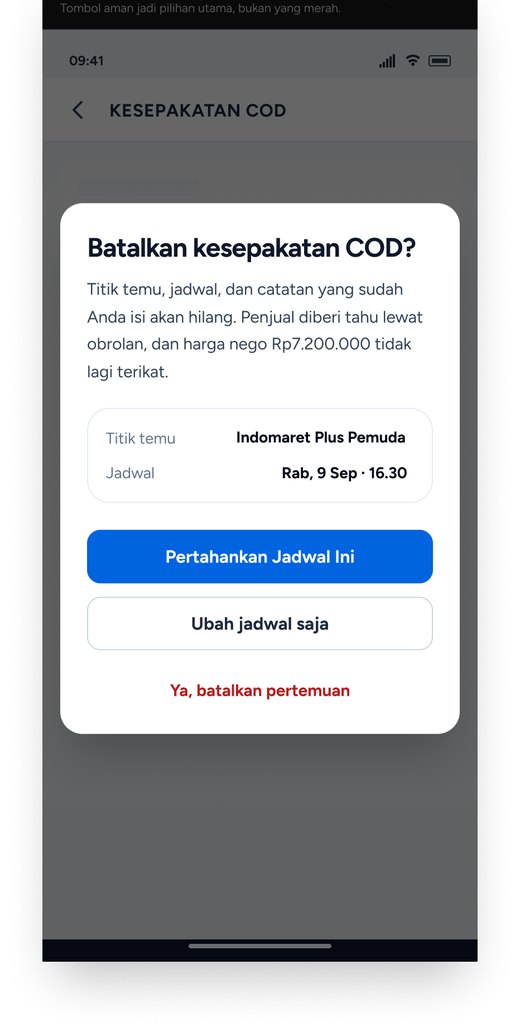
Decline, no-reply, GPS-off and cancel-with-reason screens are shown in section 09.
14Reflection
- Mentor feedback is visible in the final scope. Three notes — validate hypotheses with real users, respect the habit of negotiating in chat, and pick one primary user — show up as research with real buyers, chat kept at the center of the flow, and a buyer-only scope.
- Copy must not promise what the product can't do. A label like “verified busy places” implied a check that doesn't exist, so “verified” was dropped. Trust language has to be as honest as the feature behind it.
- The qualitative sample was small. Five participants are enough to validate direction, not to generalize. A next round would widen the pool and run it independently of the design team.
- Scope discipline was the hardest part, not the UI. It was tempting to also clean up payment methods or receipts; holding the line at three pain points kept the redesign honest about what it was solving.
- Next step: test the structured meeting flow with real transactions. The success metric to watch is the share of COD deals where the meeting form is completed instead of buyers routing back into free-form chat.